Receipt closure
When every line has been processed, the receiver or the shift supervisor closes the receipt. At that moment:
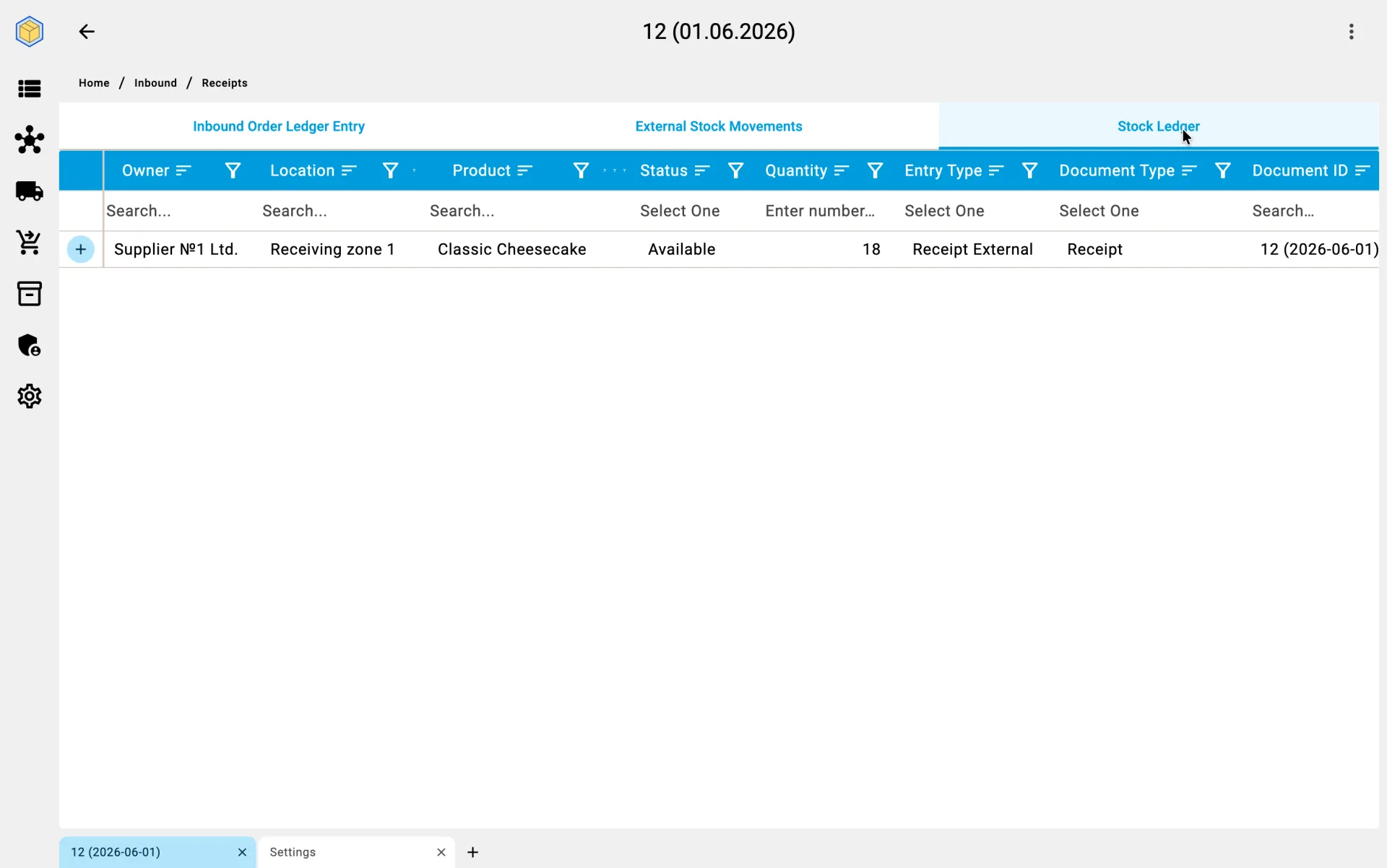
- the warehouse stock is officially increased by the received quantity;
- the goods become available for sale and order picking;
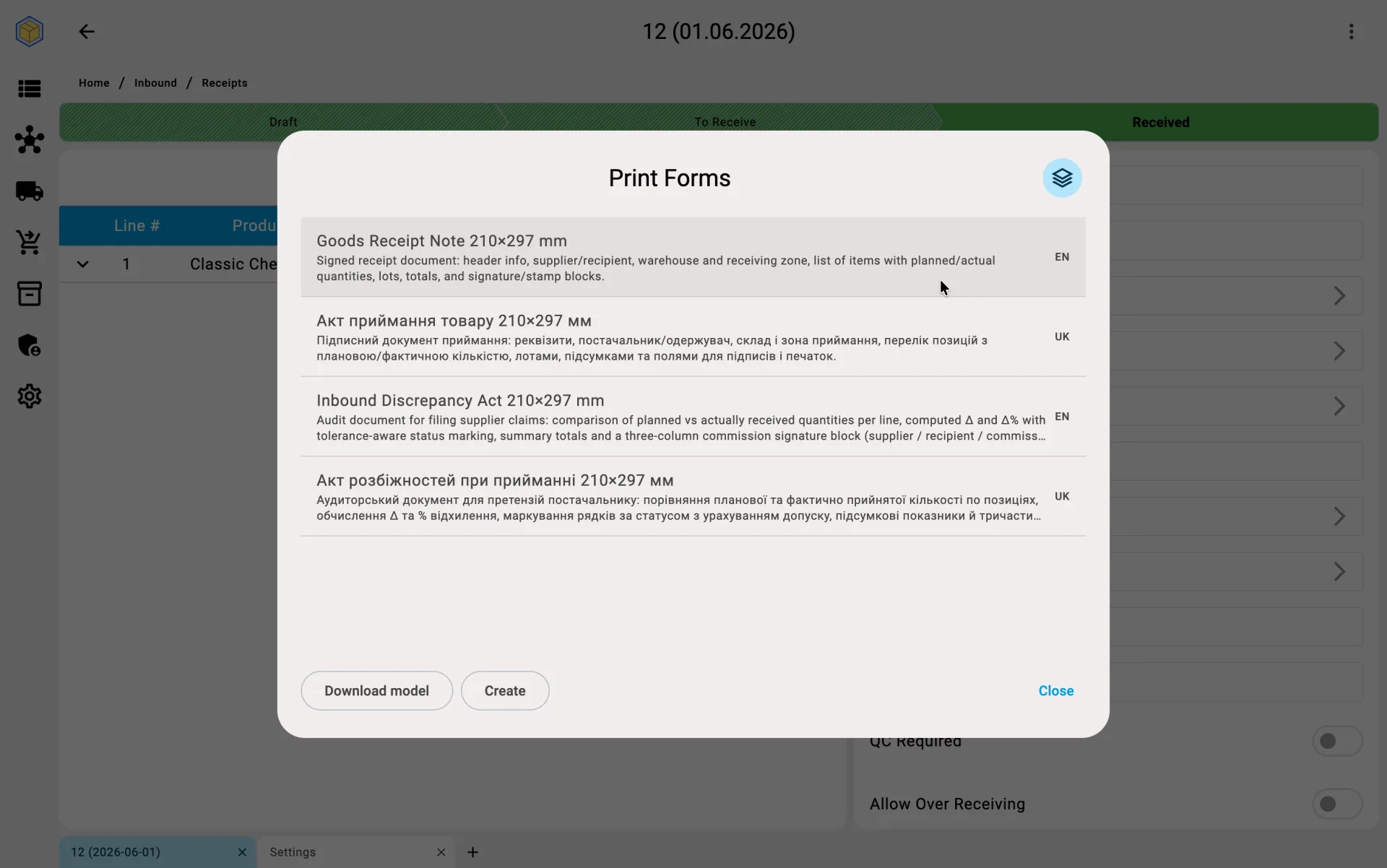
- the document pack is generated automatically — the receipt report, the discrepancy report (if any), quality claims (if any);
- the ERP system gets the updated data through the integration;
- the supplier may be notified that the delivery is confirmed.
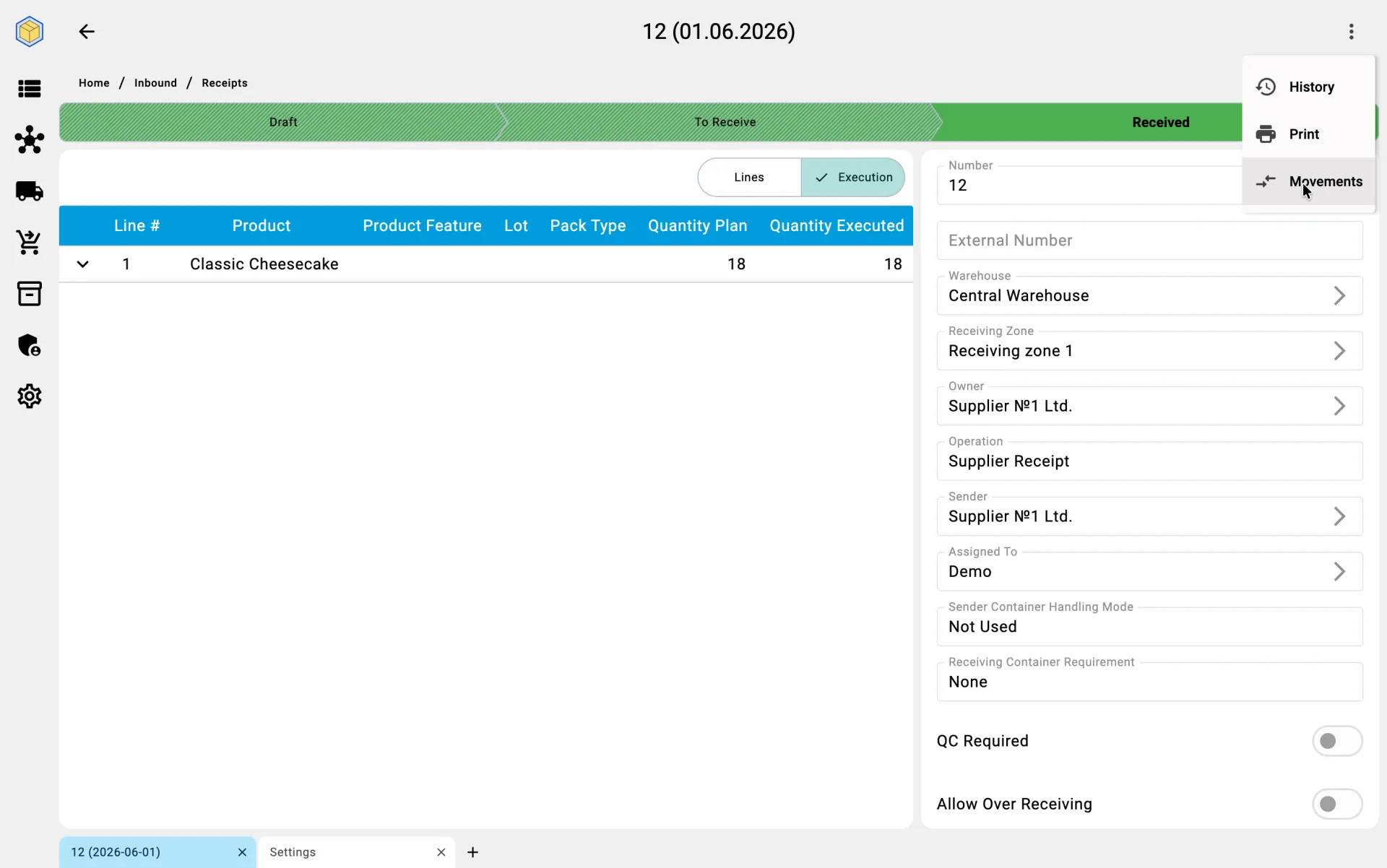
Receipt received — stock increased
Stock ledger — goods now on the balance
Print forms — the receipt document pack
On the PDT
On the PDT this phase is the final step — the operator taps Confirm the completion and gets a confirmation dialog when unreceived lines remain. Details are in the Receiving on PDT flow.