Planning the count
An inventory count starts in the client app with a planning decision: what exactly gets recounted, and who counts it.
Choosing the scope
The supervisor or stock manager defines the scope of the count. The scope determines which counting tasks the system will create, which parts of the warehouse will be blocked while counting is underway (see Preparing counting tasks), and which results the executors are allowed to enter — a quantity entered for anything outside the scope is rejected.
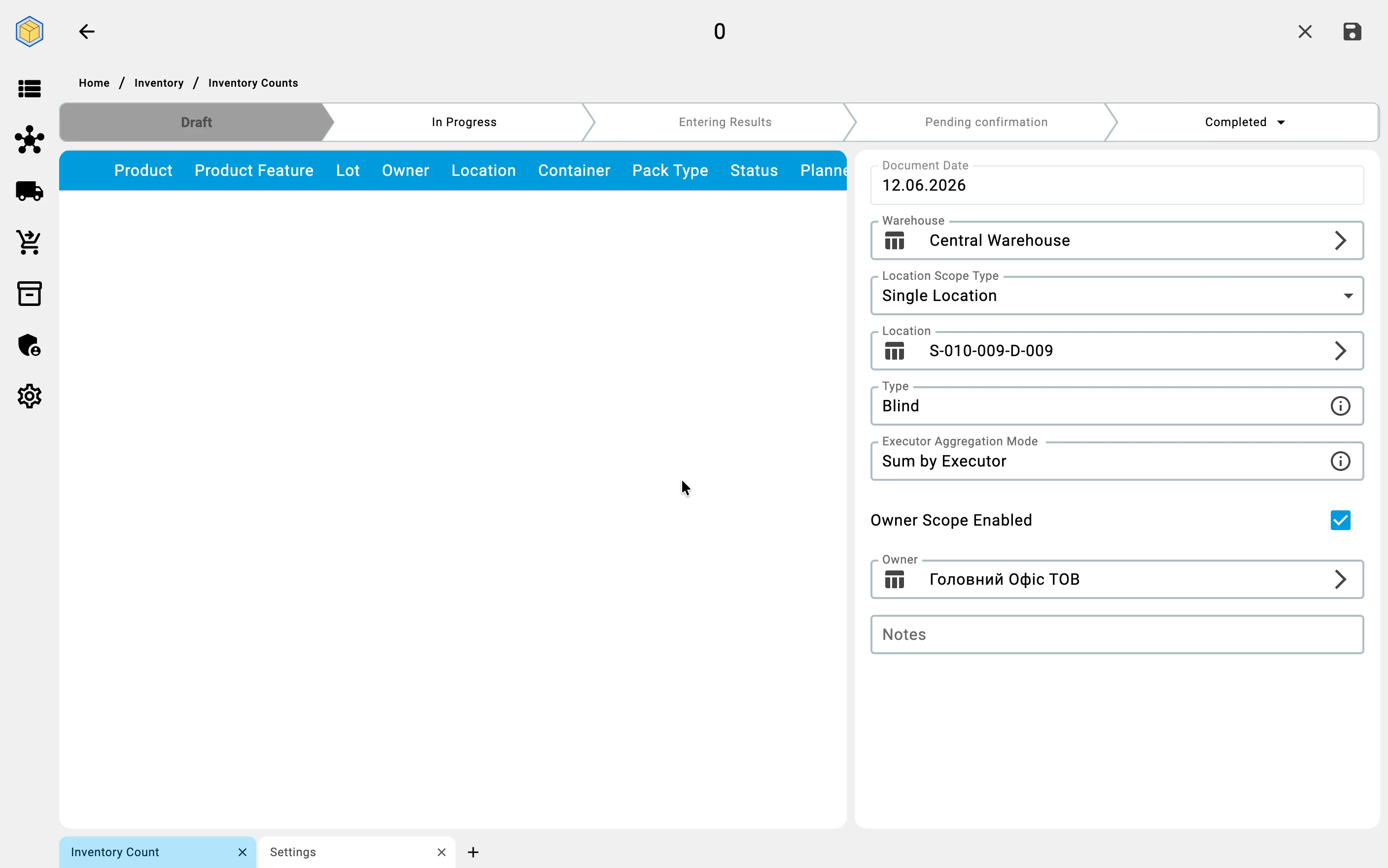
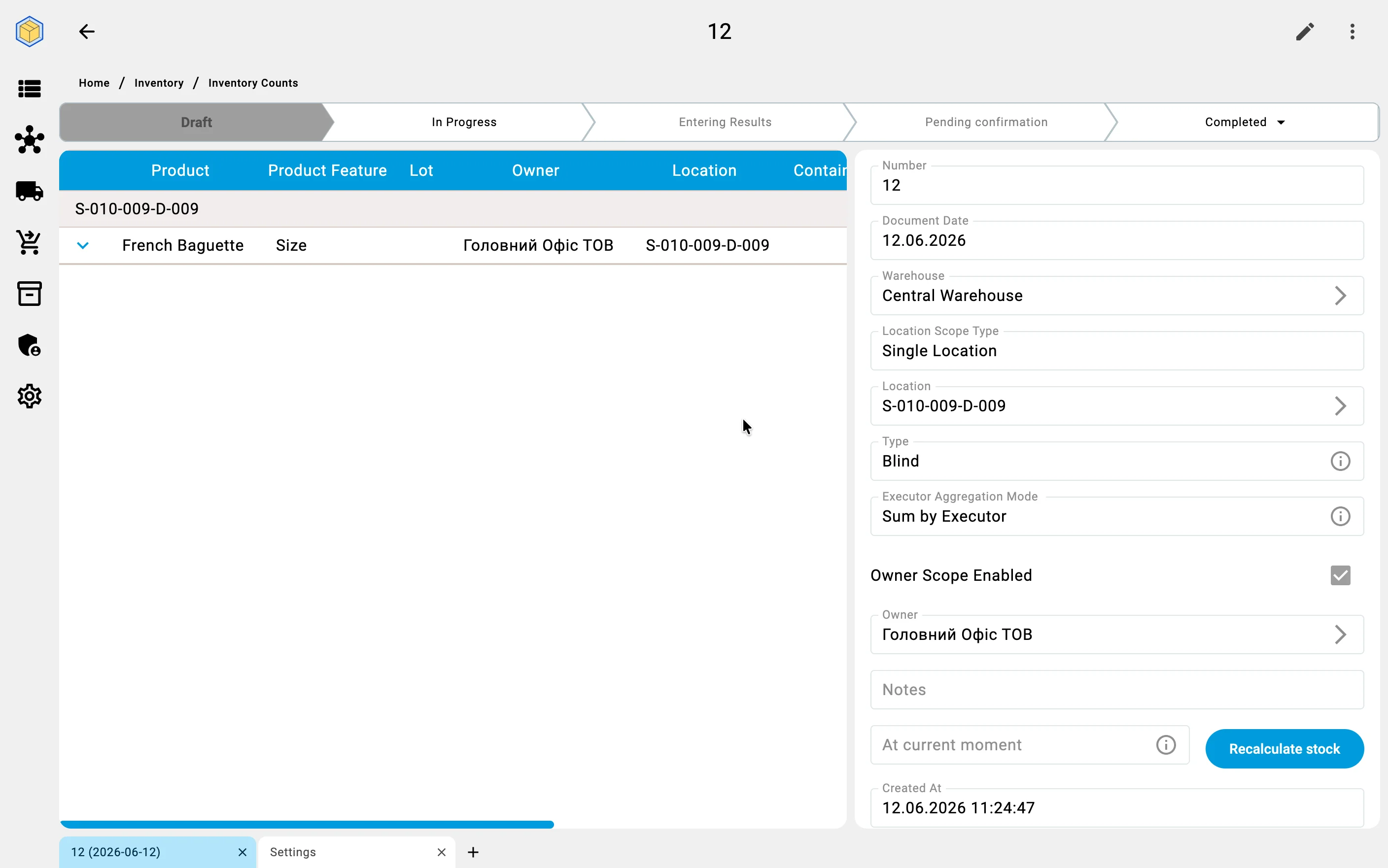
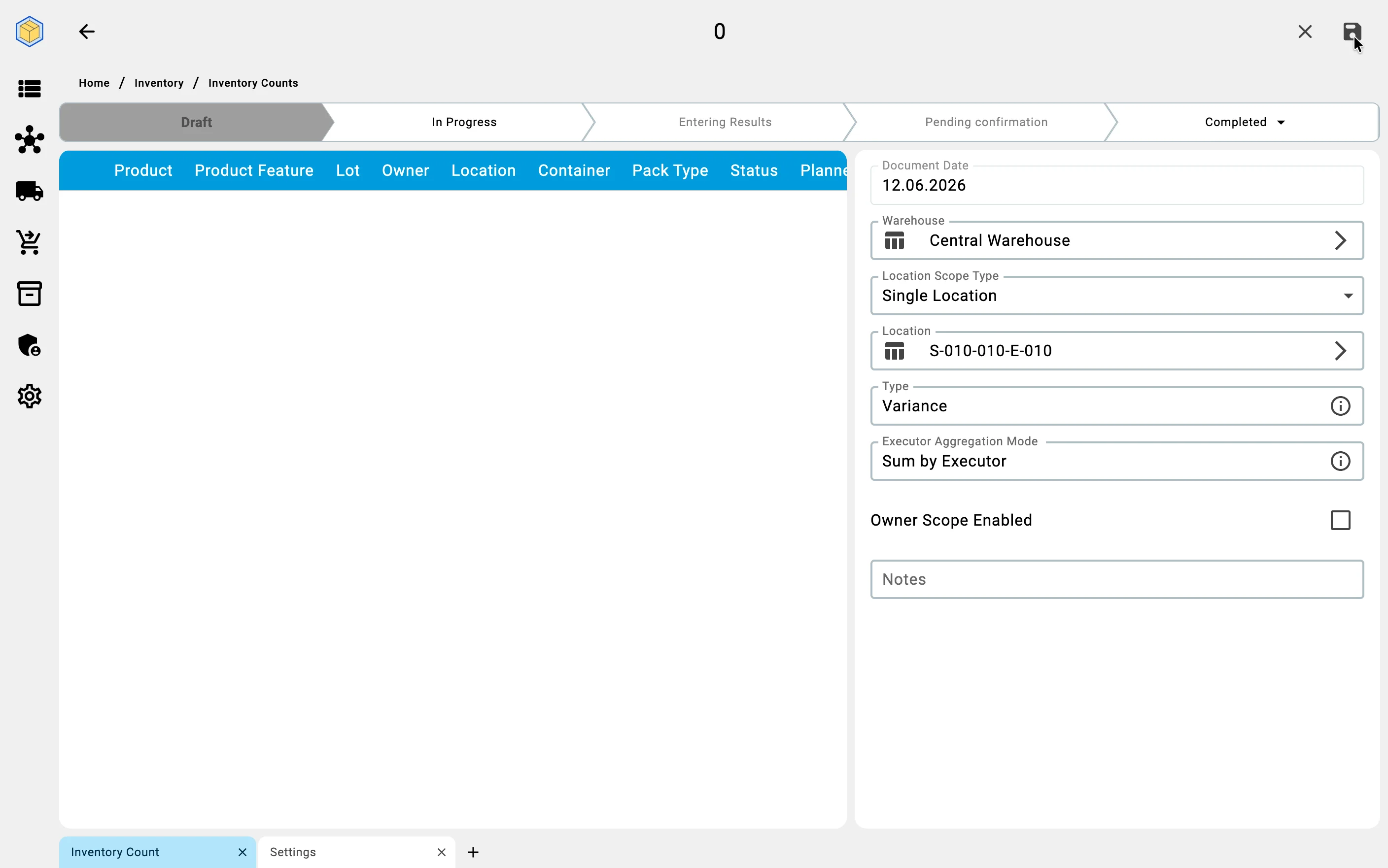
A count always covers exactly one warehouse. Within it, the area to count is set by the Location Scope Type («Тип області локації») field:
- Single Location («Одна комірка») — counting a cell also counts every container that sits in it;
- Single Container («Один контейнер») — only that container; results from other containers or other cells are not accepted;
- Storage Area («Зона зберігання») — every cell of one storage zone;
- Whole Warehouse («Весь склад») — the entire warehouse.
On top of the chosen area, the Owner Scope Enabled («Фільтр по власнику увімкнено») switch narrows the count to the stock of a single owner — every entered result must then belong to that owner ("own goods", with no external owner, is itself a valid choice). The owner filter combines with any of the four area options.
One open count per cell
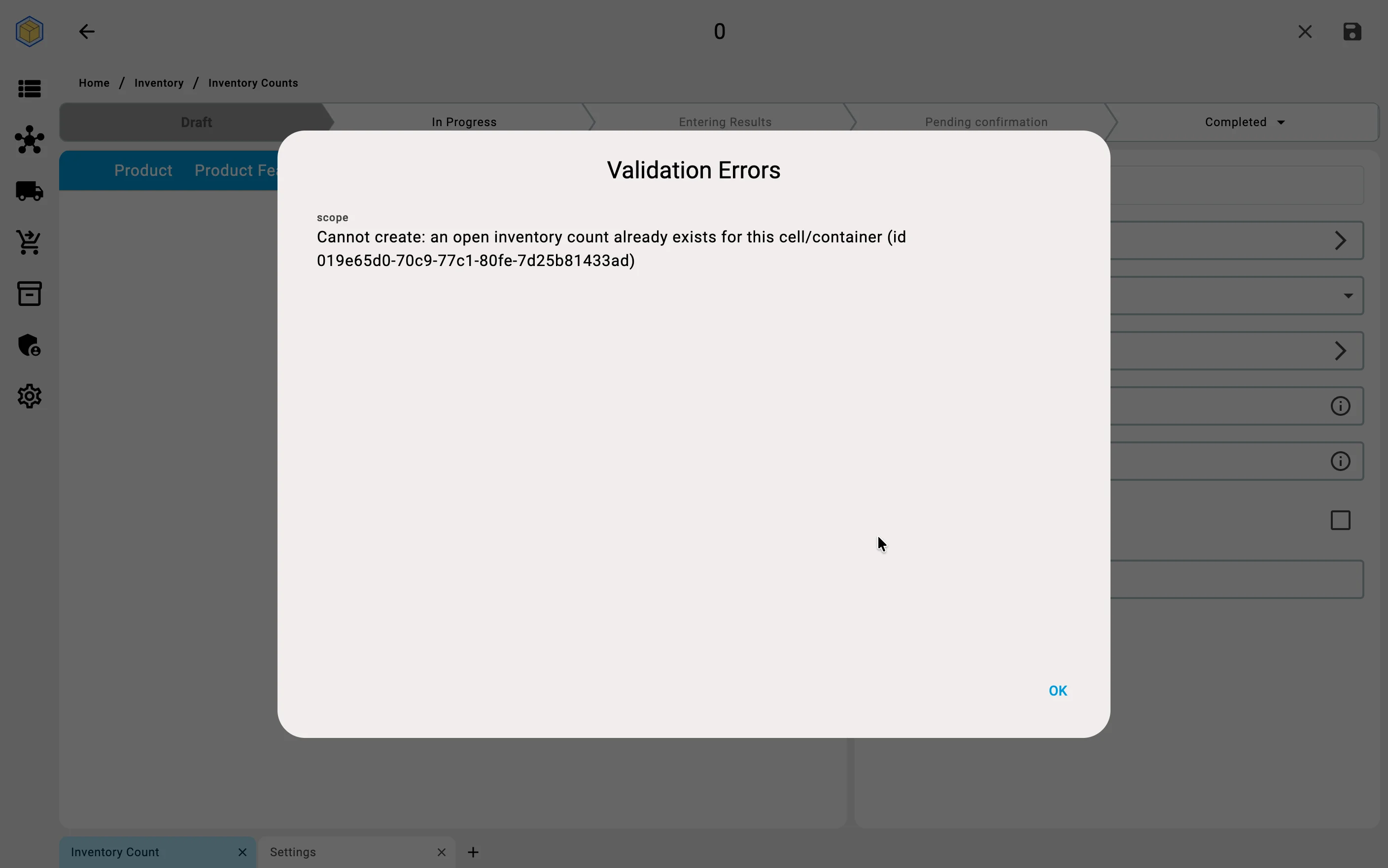
A cell or container can be covered by only one open count at a time. If the chosen scope overlaps a count that is still open, the system rejects the save with a validation error naming the conflicting count — close or cancel that count first, or narrow the scope.
The stock snapshot the count compares against
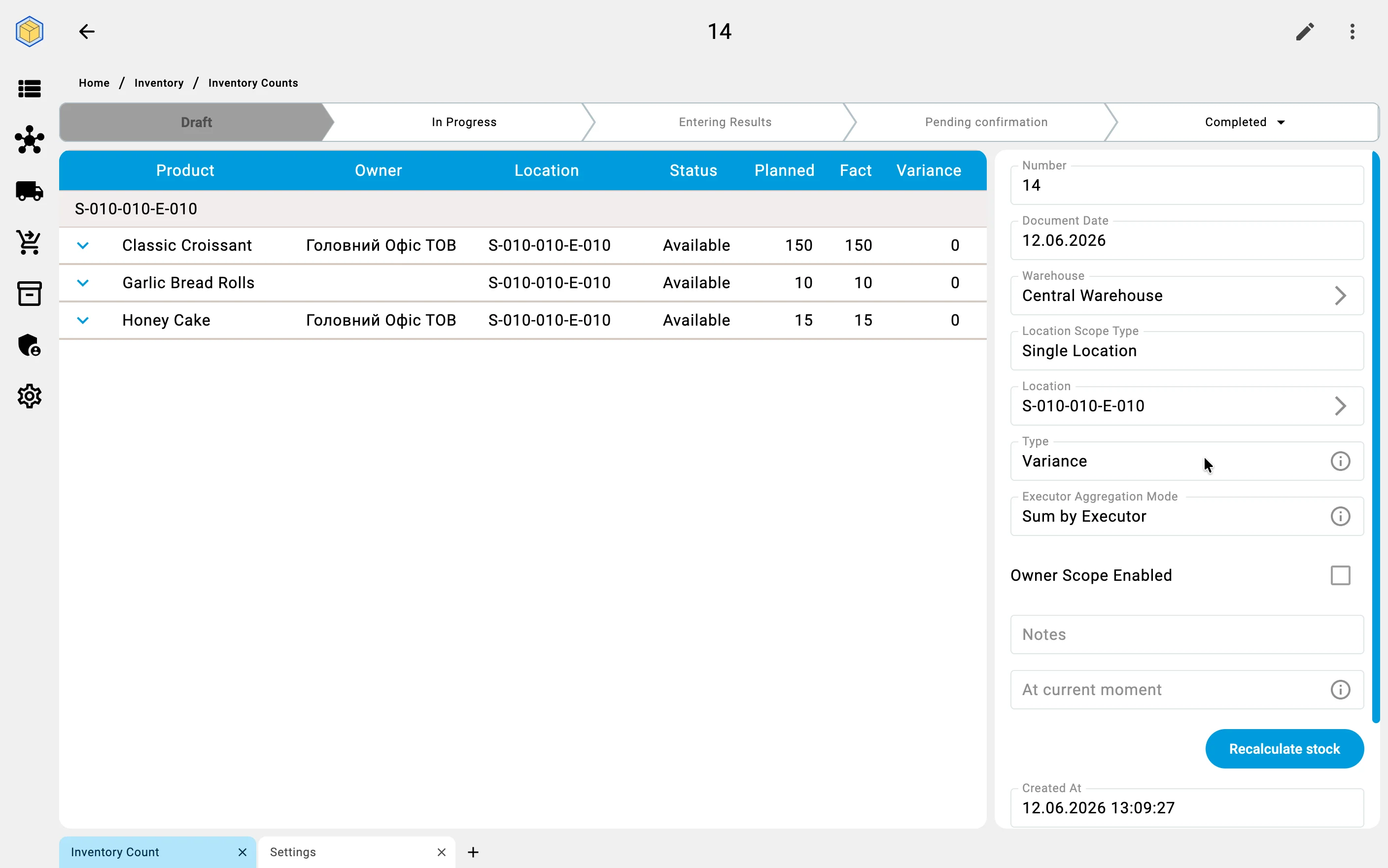
What the entered quantities are compared with is the Stock balance snapshot («Зріз залишків»), built for the chosen scope: the planned quantities show the stock balances as they were at the snapshot's date and time. The snapshot refreshes automatically at every status change on the way to completion (completing or cancelling the count never rebuilds it), and the completed count shows the moment it ended up checked against — Stock balance snapshot at («Зріз залишків на»).
The snapshot can also be rebuilt on demand: pick the moment in the At current moment («На поточний момент») field and press Recalculate stock («Перерахувати залишки») — for example, to compare the entered facts against yesterday evening's balances. Corrections made by this same count are ignored during the rebuild, so recalculating never distorts the count's own baseline. The rebuild is available while results are still being entered — once the count is waiting for confirmation, Recalculate stock is disabled and the snapshot stays frozen. The snapshot moment is not an accounting date — it only sets the point in time the count checks against.
Assigning executors
The planner assigns the executors who will do the physical counting. For a large count the work is split between several counting groups, so different zones can be counted in parallel.
When several executors enter results in the same count, the Executor Aggregation Mode («Режим агрегації виконавців») setting decides how their numbers combine:
- Sum by Executor («Сума за виконавцями») — the results of all executors are summed: if several executors count the same item, their quantities add up into the total fact. The right choice when the goods are physically split between the counters.
- Last Snapshot Only («Лише останній знімок») — only the most recent entry counts; earlier entries by other executors are ignored. The right choice when a later pass is meant to override an earlier one.
Either way, what counts per executor is their current total for the position — a fresh snapshot of the cell, not a history of additions. How that total is built up on the terminal is described in Counting cells.
How each kind of count gets planned
- Full counts are planned in advance — the date is set ahead of time and the staff are informed, because operations in the covered areas usually stop for the duration.
- Cycle counts come from a recurring plan rather than a one-off decision. The system builds the plan from rules you configure — for example an ABC split: A-goods counted monthly, B-goods quarterly, C-goods once a year. Tasks are handed to operators as part of the normal working day, and the rest of the warehouse is never interrupted.
- Spot counts are created manually the moment a doubt arises — for example, picking could not find part of the goods in a cell. The scope is just the doubtful cell or group of cells.
- Event-driven counts are created by the system itself, with no planning step at all: completing a large receiving, handing a cell over to a different product, or moving a pallet between zones can each trigger a background recount of the affected cells.
Inventory count type
A count carries a type setting that controls what the operator sees on the PDT during counting:
- Blind — the executor does not see the planned quantity before entering the fact. Reduces the risk of biased counting; the default choice for trustworthy results.
- Assisted — the planned quantity is shown during counting. Suits a quick inventory with hints.
- Variance — the fact arrives pre-filled with the recorded quantities, and the executor corrects only the positions where reality differs; a position left untouched goes into the result at its recorded quantity. Suits a follow-up pass over known problem spots rather than a full re-walk.
The effect on the counting screen is described in Counting cells.
How planning looks on the screen — a blind count and a variance count, from the form to the saved draft: