Direct picking (without waves) in the client app
This document covers the end-to-end picking process the warehouse uses when waves are turned off in the warehouse picking policy. Instead of grouping orders into a wave, the supervisor plans orders directly — one picking document per order — from the shipping planning assistant screen.
Direct picking always uses the Discrete methodology: one pick per order, with no sorting or packing. As with wave picking, the client is the supervisor's planning-and-monitoring cockpit — the hands-on picking happens on the handheld terminal, and the client shows its live state.
Phase 1. The planning queue
Direct picking starts on the shipping planning assistant — its own menu item in the Outbound section. The assistant works only on warehouses where waves are turned off: with waves on, planning happens inside the wave, and on a warehouse with free picking without reservation there is nothing to plan at all — in both cases the client says so and planning is unavailable.
The assistant opens with the whole warehouse queue — every unfinished order, drafts included. The order of the queue is its priority: the system plans from the top down, so orders higher up get first claim when stock is short. The sequence is saved and applies to every following planning run.
The queue is rearranged by dragging: grab the dotted handle at the start of a row to move an order, or tick several orders first and drag them together as one block.
Two panels beside the queue keep the priority decisions informed. The first shows the lines of the selected order — the ordered, planned, picked, in-shipping-zone, shipped and cancelled quantity of each line. The second answers the question that priority really turns on — who else is competing for this product: which orders in the queue contain it, how much each of them needs, how much stock is available, and the resulting shortfall. From the line panel the queue can be narrowed to just the orders that contain the product, so the competitors can be re-ordered right away.
Phase 2. Planning the orders
The replan action turns the queue into pick work. It always replans the whole warehouse queue — there is nothing to select first; the priority order decides everything.
A dialog opens with the live progress of the run: how many orders in total, how many planned, how many skipped — and the list of problem orders with their numbers and the reason each one was skipped. If the dialog was closed too early, the view-result action brings it back.
Only one person at a time can plan a warehouse's queue. When a run started by someone else is still going, the client reports that the queue is busy — wait for that run to finish.
The system creates picking documents directly from the orders — normally one document per order — and reserves the stock. Each new pick is created as Planned, ready to be worked. If the warehouse splits pick work by work zone, one order may produce more than one picking document (see the warehouse picking policy).
Each order then shows how much of it could be covered:
- Fully Planned — every line got pick work.
- Partially Planned — only part of the quantity could be planned (for example, stock was short).
- Not Planned — nothing could be planned yet.
An order can also be planned for its full demand even when stock is short — the missing quantity is added to the pick anyway, to be covered once stock arrives.
Phase 3. Picking
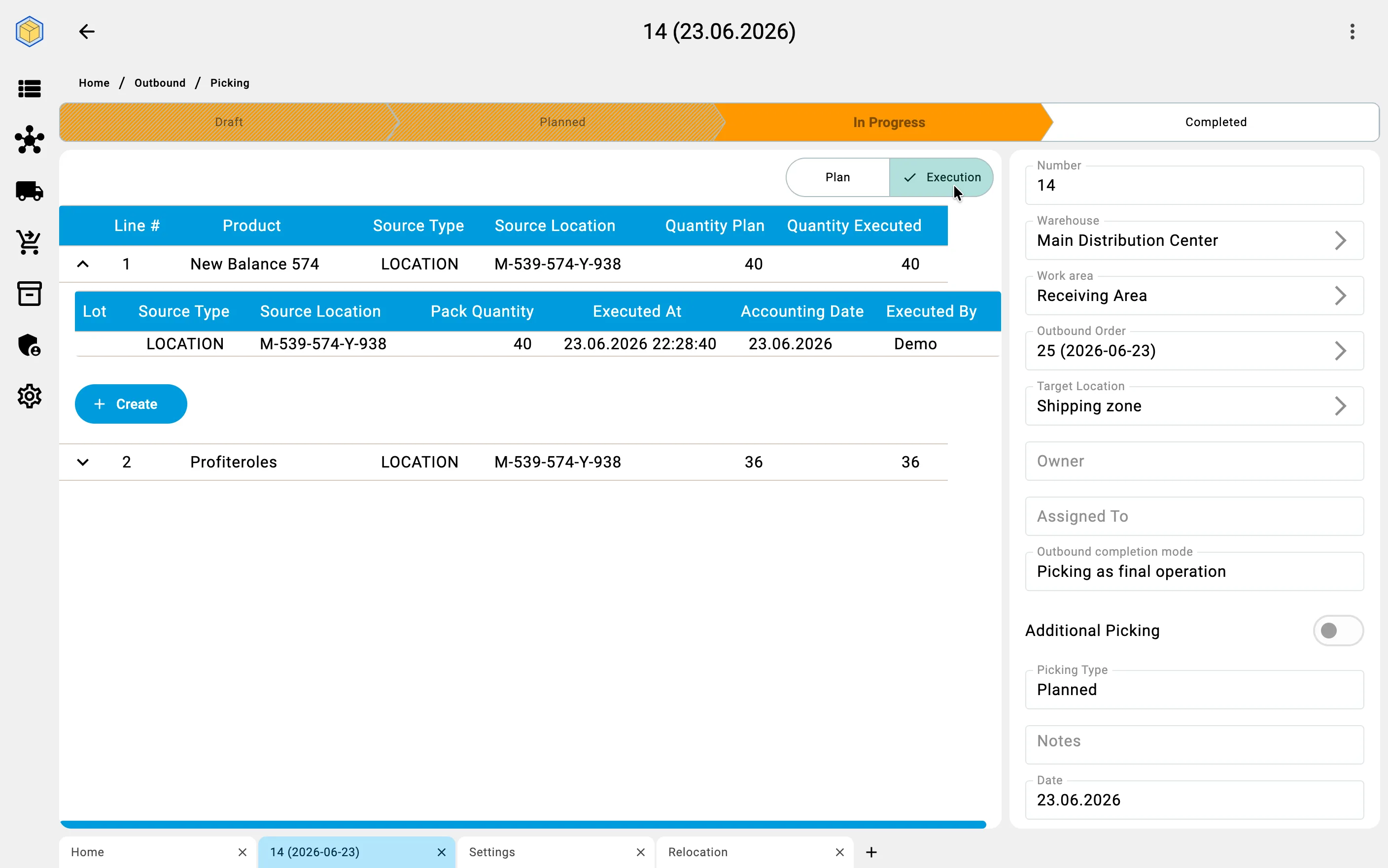
Once orders are planned, the picking documents are usually worked on the handheld terminal, but pick facts can be recorded from the client as well — planned picks included. What the client does not allow for a planned pick is changing its status or adding new lines; both actions are available only for an unplanned pick.
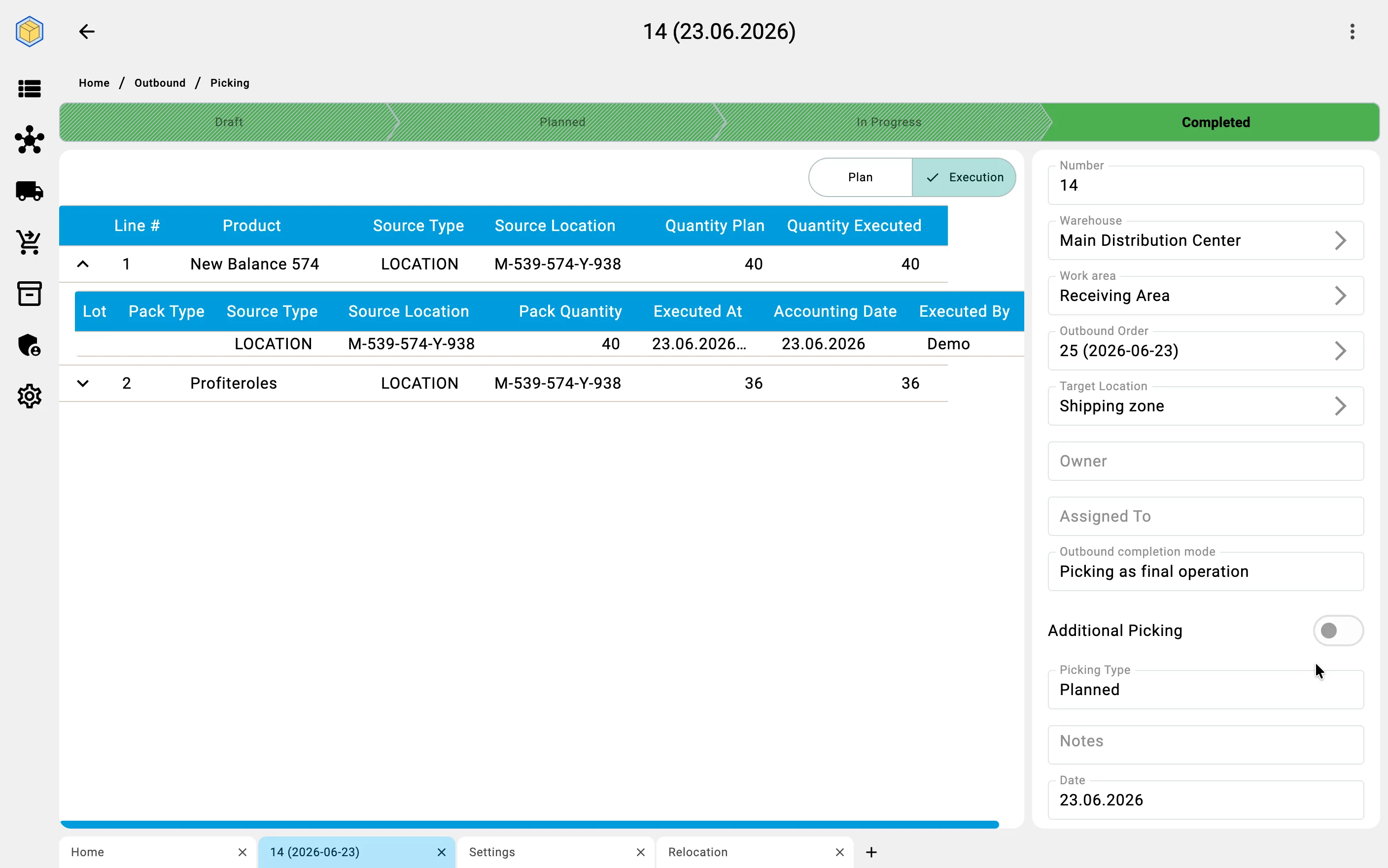
From here the client is primarily a monitor. It lists every picking document with its status — Planned, In Progress, Completed — and lets the supervisor open one to watch its lines progress. A pick closed with less than its planned quantity is still shown as Completed; the unpicked remainder is not lost — it can be covered by replanning.
Because there is no wave, there is no replenishment, sorting, or packing step to follow. Once an order's picks are done, it moves toward completion.
Phase 4. Replanning
Plans rarely survive contact with the floor: an order changes, new stock arrives, or a pick comes up short. In direct picking the supervisor can re-run planning at any time — even while picking is already under way — with the same replan action in the assistant. Every run replans the whole queue; the supervisor does not have to say whether this is a first plan or a re-plan.
Quantities that have already been picked are always kept — replanning never undoes finished work.
What re-running does to the existing picking documents depends on the warehouse's document fill mode (see the warehouse picking policy):
- Extend existing pickings — new demand is added to picks that are already open, where possible.
- Create new pickings — extra demand goes into a fresh picking document.
- Do not create new pickings after start — once picking has begun, no new documents are created.
The queue's priority still applies: when stock is short, orders higher in the queue are served first.
Phase 5. Completion
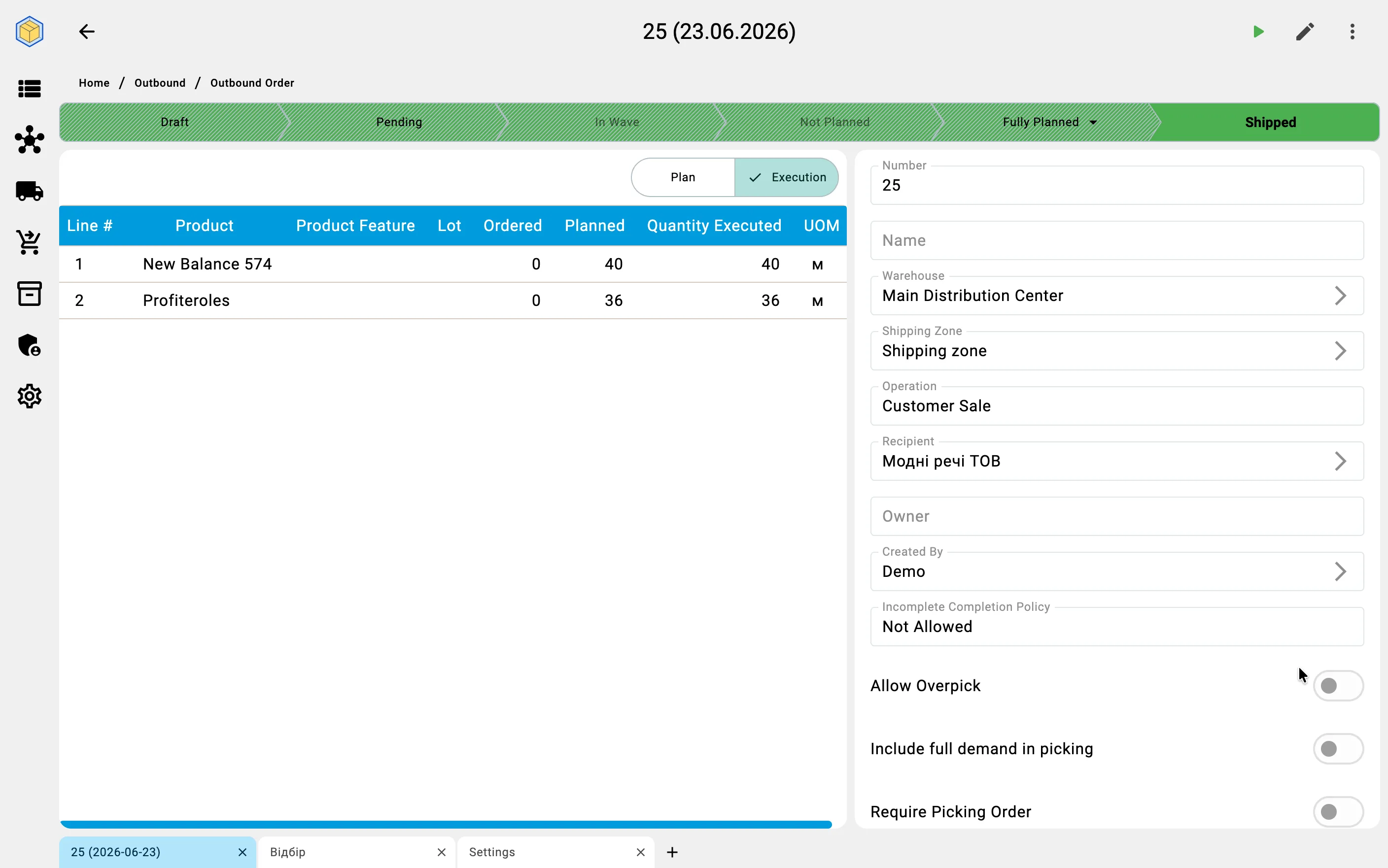
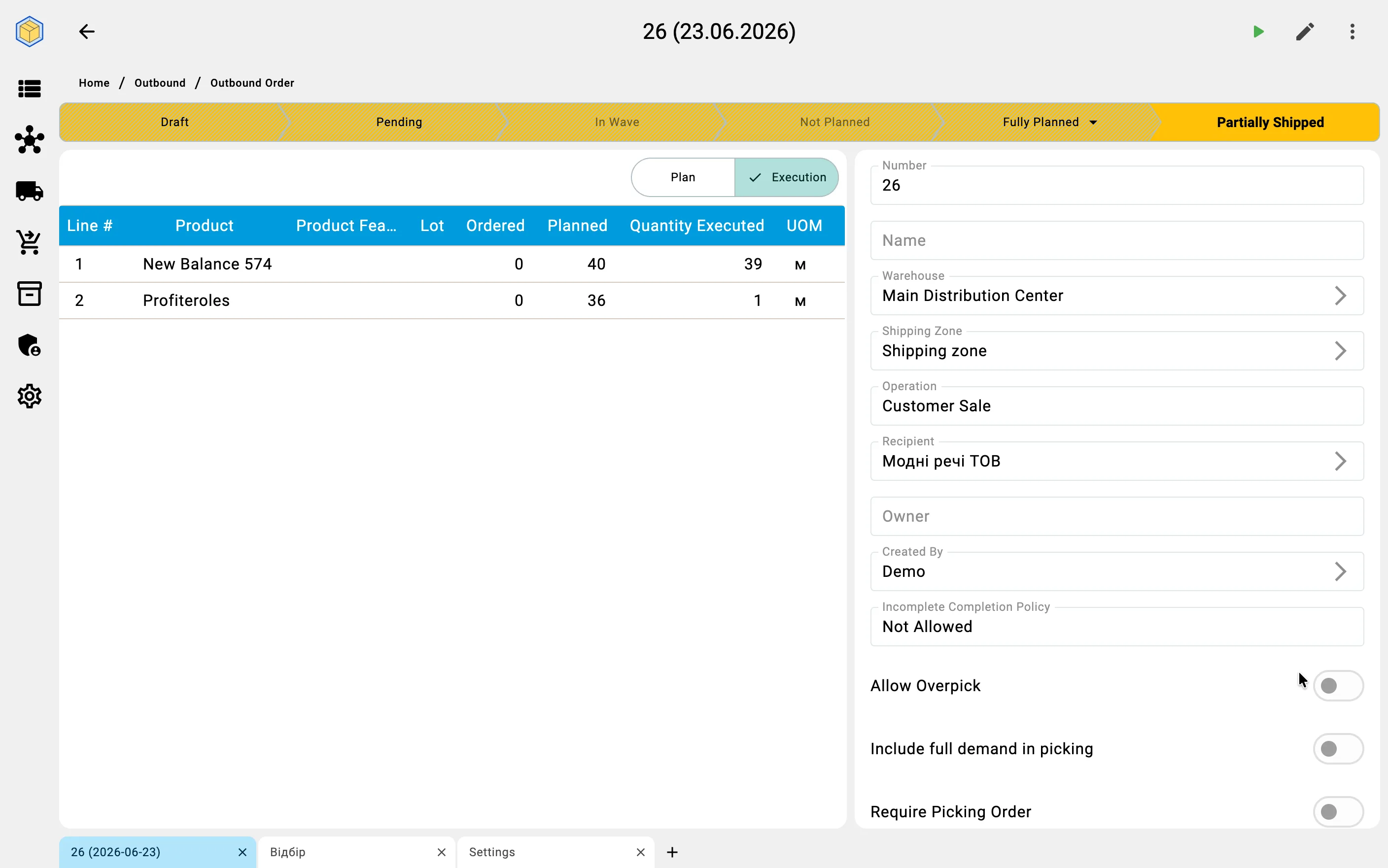
When an order's picking is done, the order reaches its final state — Shipped when all of it was picked and sent, or Partially Shipped when only part of it was.
What happens between "picked" and "shipped" depends on the warehouse's completion mode (see the warehouse picking policy):
- Standard shipment — a separate shipment step follows picking: the picked goods are handed off and the order is shipped.
- Picking as final operation — there is no separate shipment; finishing the picking completes the order.
Either way, the client shows the order arriving at its shipped state, closing the direct-picking flow.
Business value
No wave overhead. When orders are few, large, or simply need to go out one at a time, planning them directly skips the work of building and managing a wave.
Plan, watch, adjust. Every run reports its progress live and names the orders it had to skip — with the reason — and planning can be re-run at any moment as orders and stock change, without losing work already picked.
Visibility without micromanagement. The supervisor plans and watches every pick from one screen, while the floor does the work on handhelds.