Unplanned picking (without a plan) in the client app
This document covers picking goods out of the warehouse without an order, a wave, or any planning — a manual issue an operator starts on the spot. It is an optional flow: it runs only when the warehouse has unplanned picking turned on, and it works alongside the normal wave and direct picking — it does not replace them.
Unlike those flows, the client app here is self-sufficient: you can create the document, record what you pick, and close it — all from the workstation. The hands-on picking can equally be done on the handheld terminal against the same document.
The goods always go to an external location — a place that stands for a destination outside the warehouse. There are no prepared pick lines; the document records only what is actually taken.
Phase 1. Creating the picking
You start an unplanned picking yourself, from the picking list — there is no order or wave to begin from. Pick a warehouse in the session context first (the warehouse switcher in the toolbar): the picking policy is loaded for the selected warehouse. The button to create a pick appears when a warehouse is selected and that warehouse has unplanned picking turned on; with no warehouse selected, or with the setting off, the flow is unavailable.
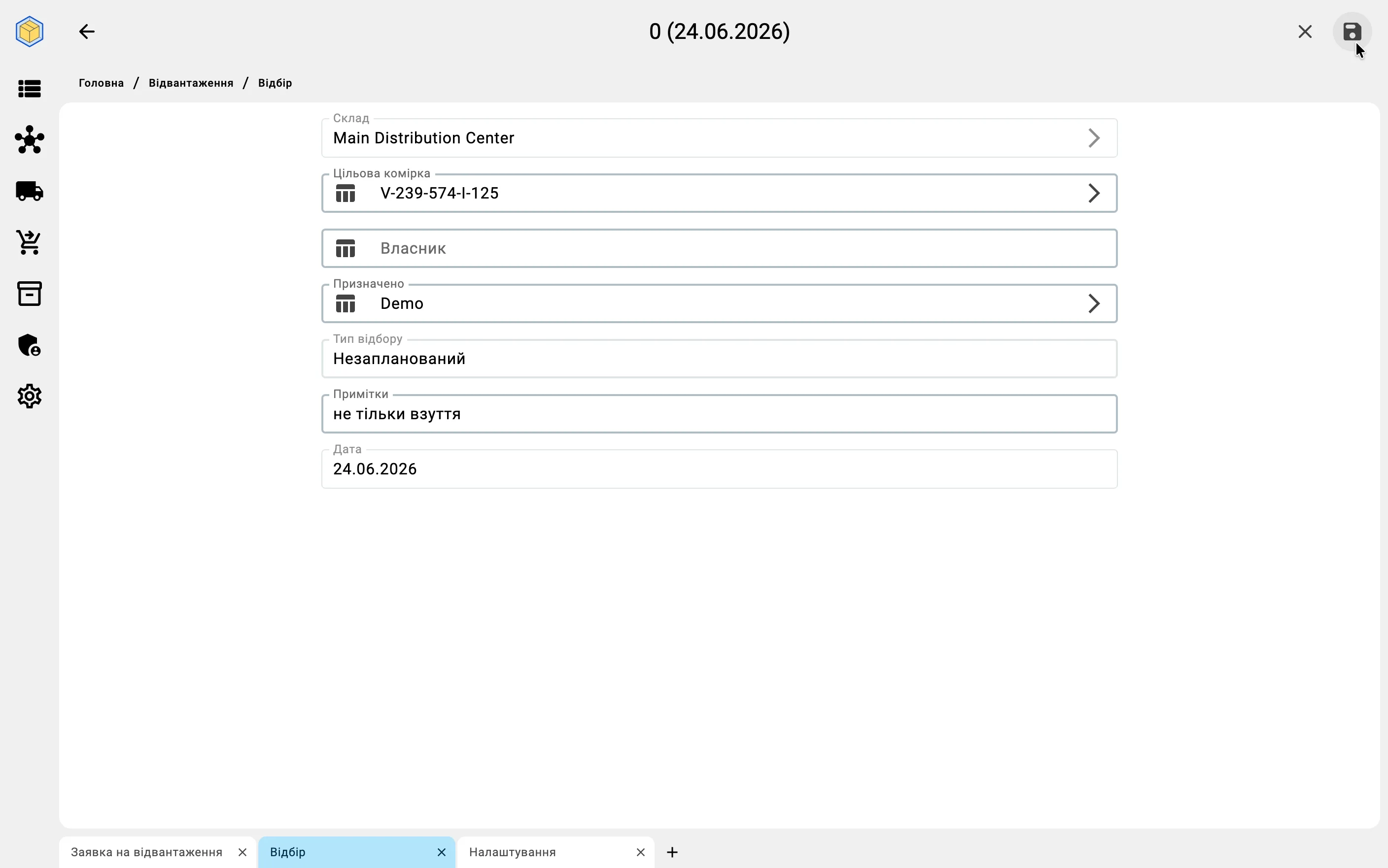
Creating the document is a short form. The only required choice is where the goods are going:
- Target Location — required. The external location the goods leave the warehouse through. Only locations that stand for a destination outside the warehouse can be chosen; an ordinary storage location will not appear in the list. If that location limits which products may go to it, the limit applies later, as you pick — see external location restrictions.
- Owner — optional. Whom the goods belong to.
- Assigned To — optional. The operator who will do the picking.
- Notes — optional. A free-text remark; you can add or change it at any time.
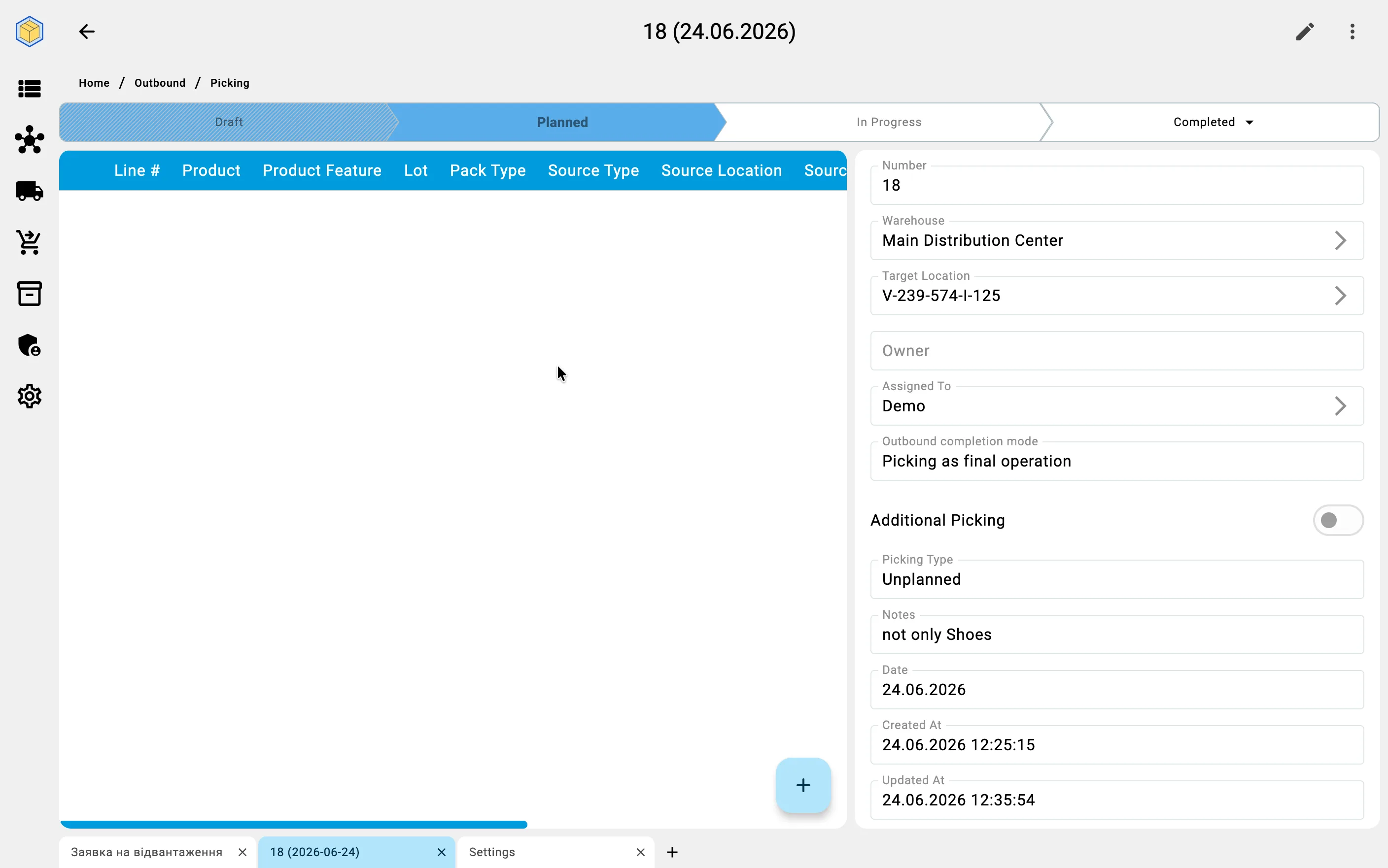
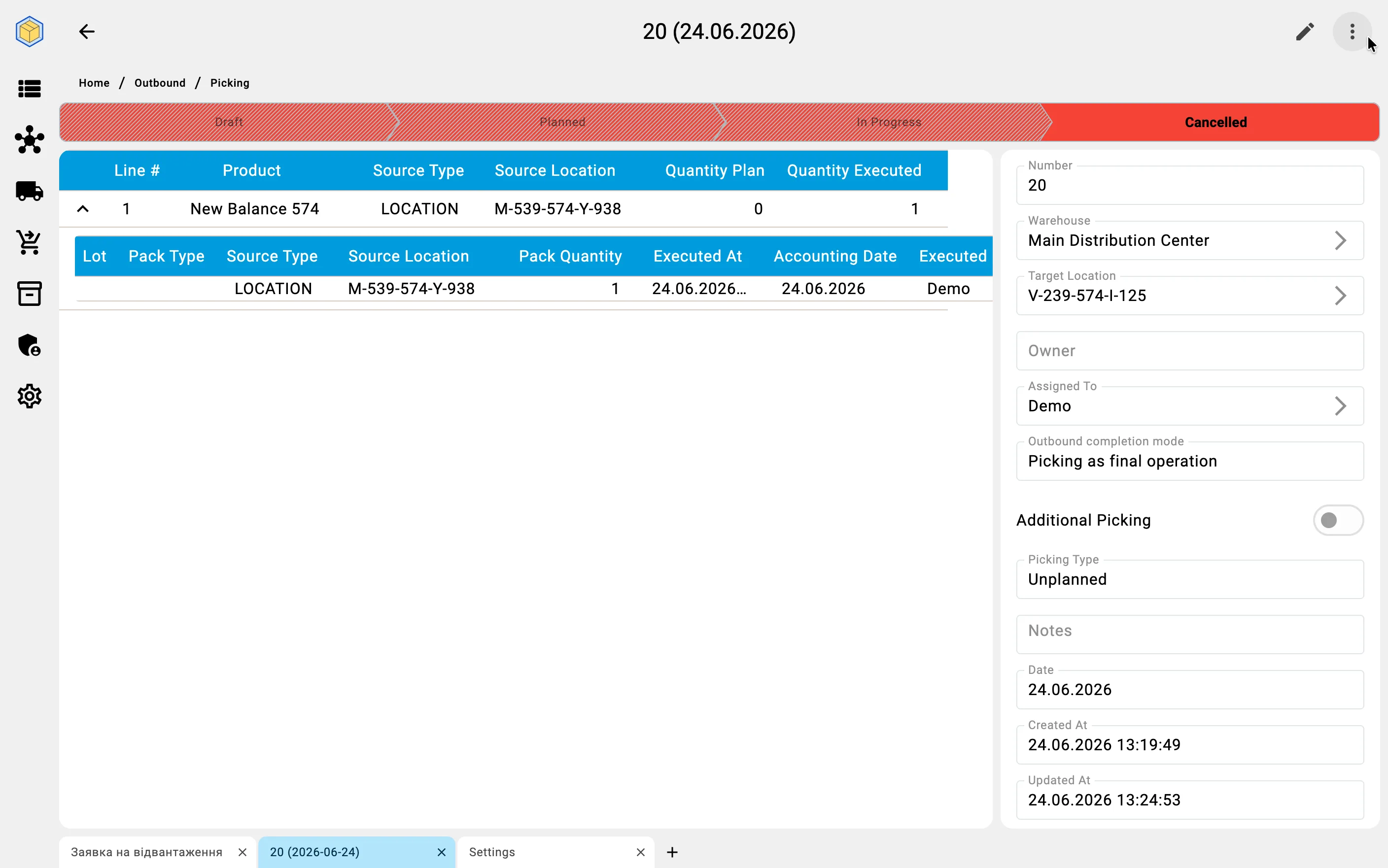
The Picking Type is fixed as Unplanned and cannot be changed — that is what sets the document apart from picks that come from an order or a wave.
There is nothing to plan and no lines to prepare: the document exists to record what you actually take. The moment you create it, it opens in Planned and is ready to work — there is no draft to clear first.
Phase 2. Recording what was picked
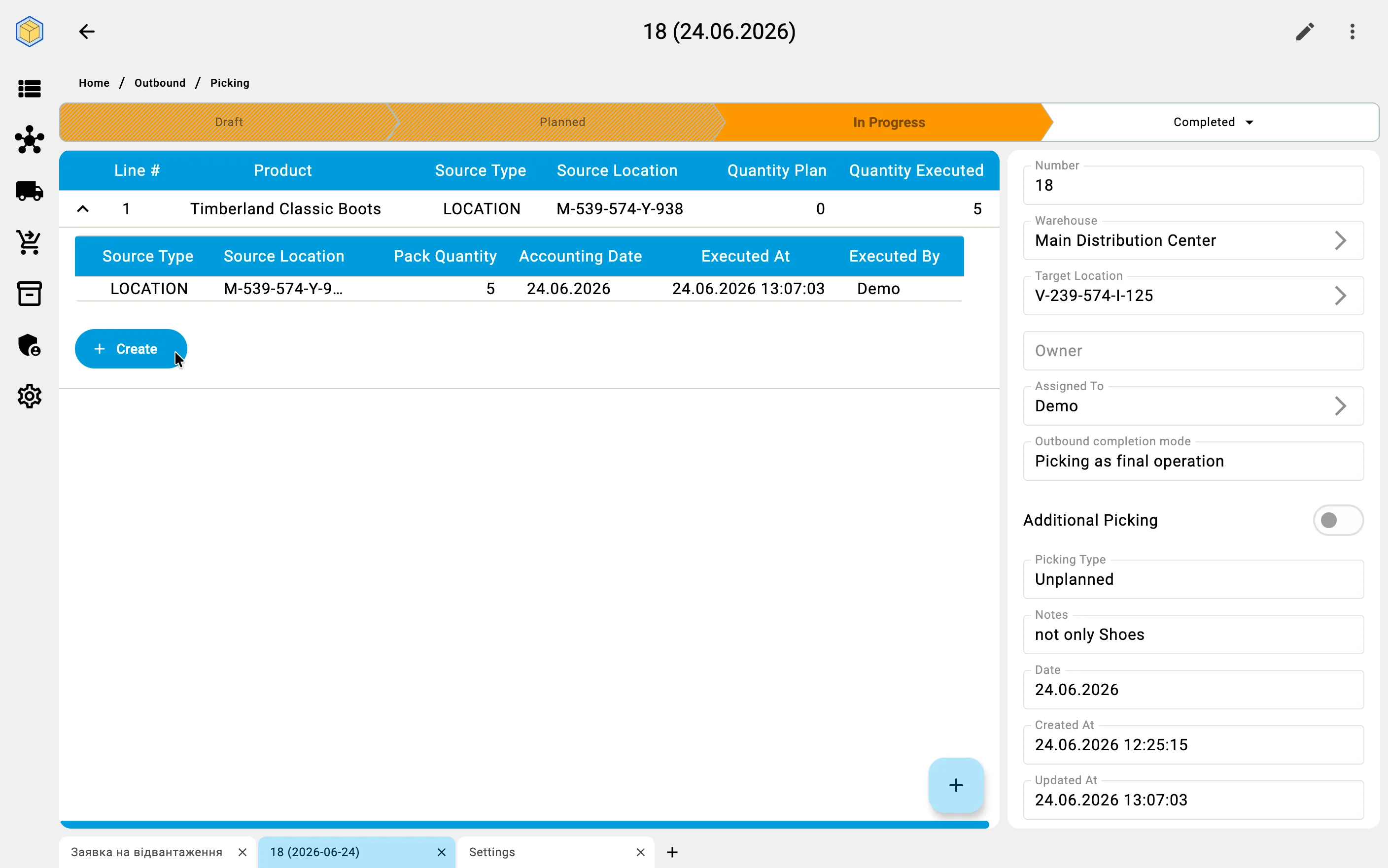
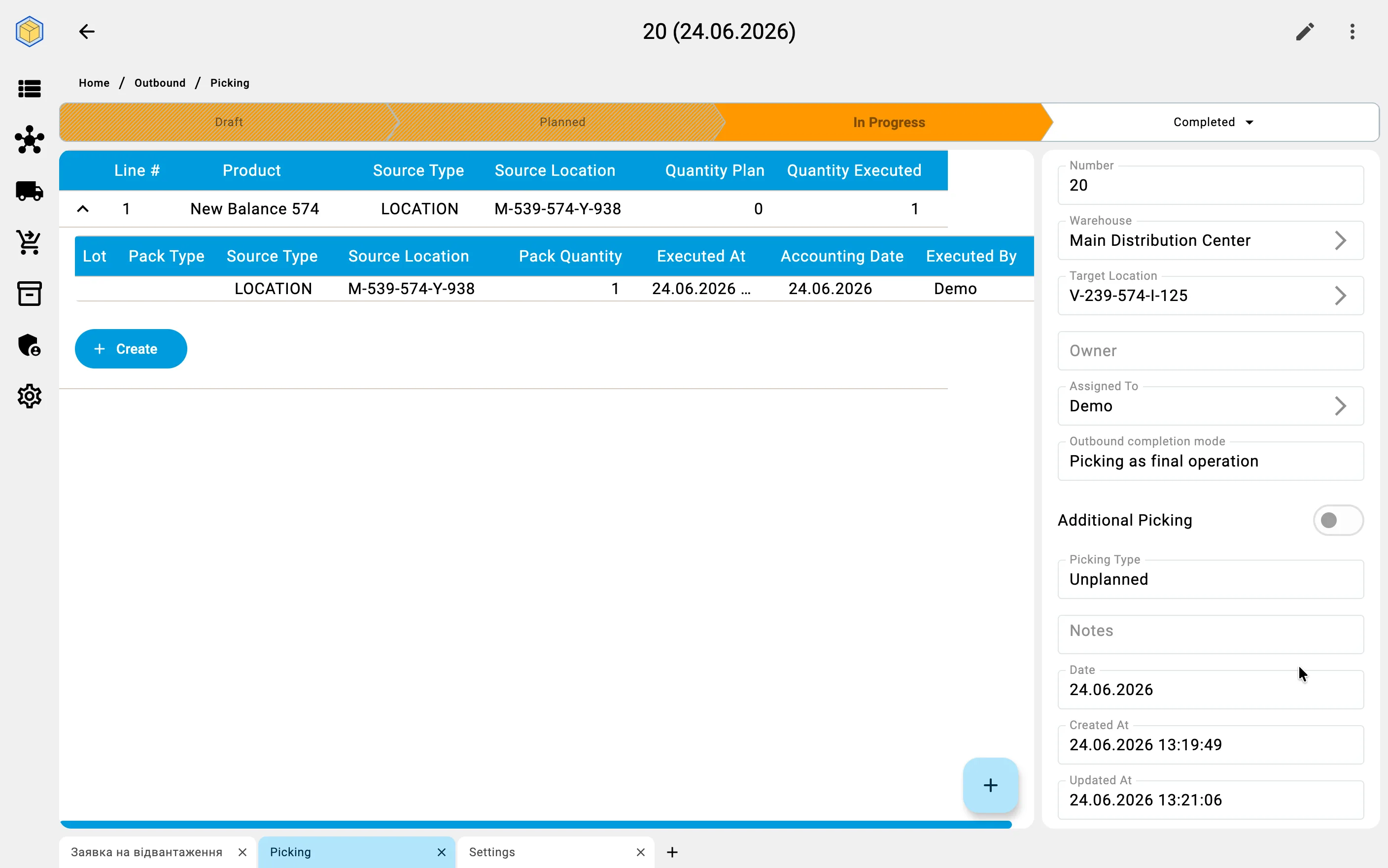
With the document open, you record what you actually pick. Each entry captures one pick: the source location you took the goods from, the product (and lot, if the product is tracked that way), and the quantity. You add entries as you go — there is no prepared list to tick off, only the facts of what was taken.
You can record these picks two ways:
- In the client app — add each entry on the picking screen. This is handy when the goods and quantities are already known at the workstation.
- On the handheld terminal — scan the source location and the goods on the floor. This is the usual hands-on way; the document is shared, so entries made on the handheld appear in the client.
The first entry moves the document to In Progress.
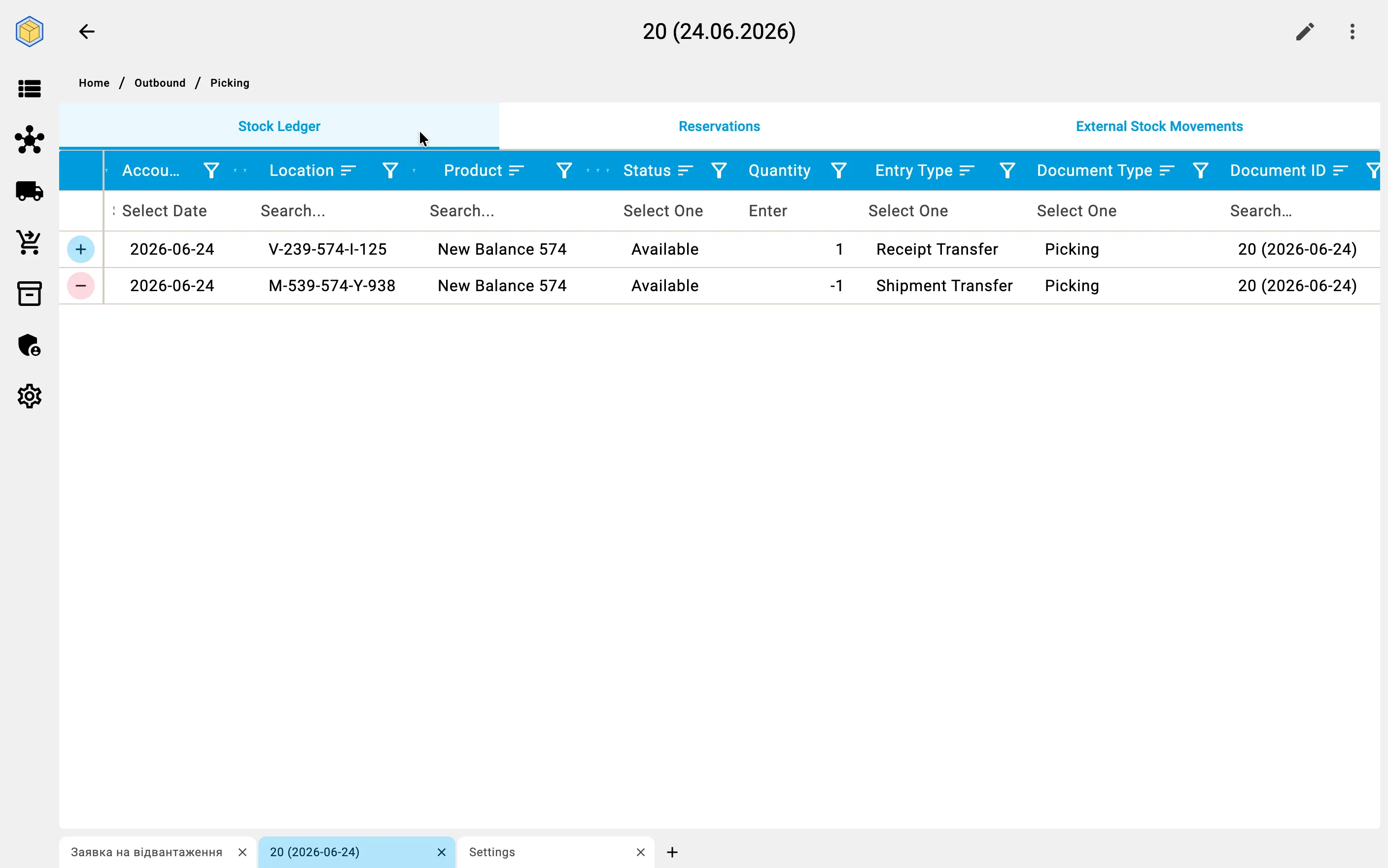
As you record each pick, the goods leave their source location and arrive in the target external location — taken out of storage, but not yet issued from the warehouse. The goods themselves are not tied to the document: they simply sit in that external location. What the document holds is the reserve, and it stays alive until you complete the document (next phase) — that is when the goods are issued.
If the target location limits which products may go to it, a pick of a product that is not allowed there is refused the moment you record it. See external location restrictions.
Phase 3. Completing the picking
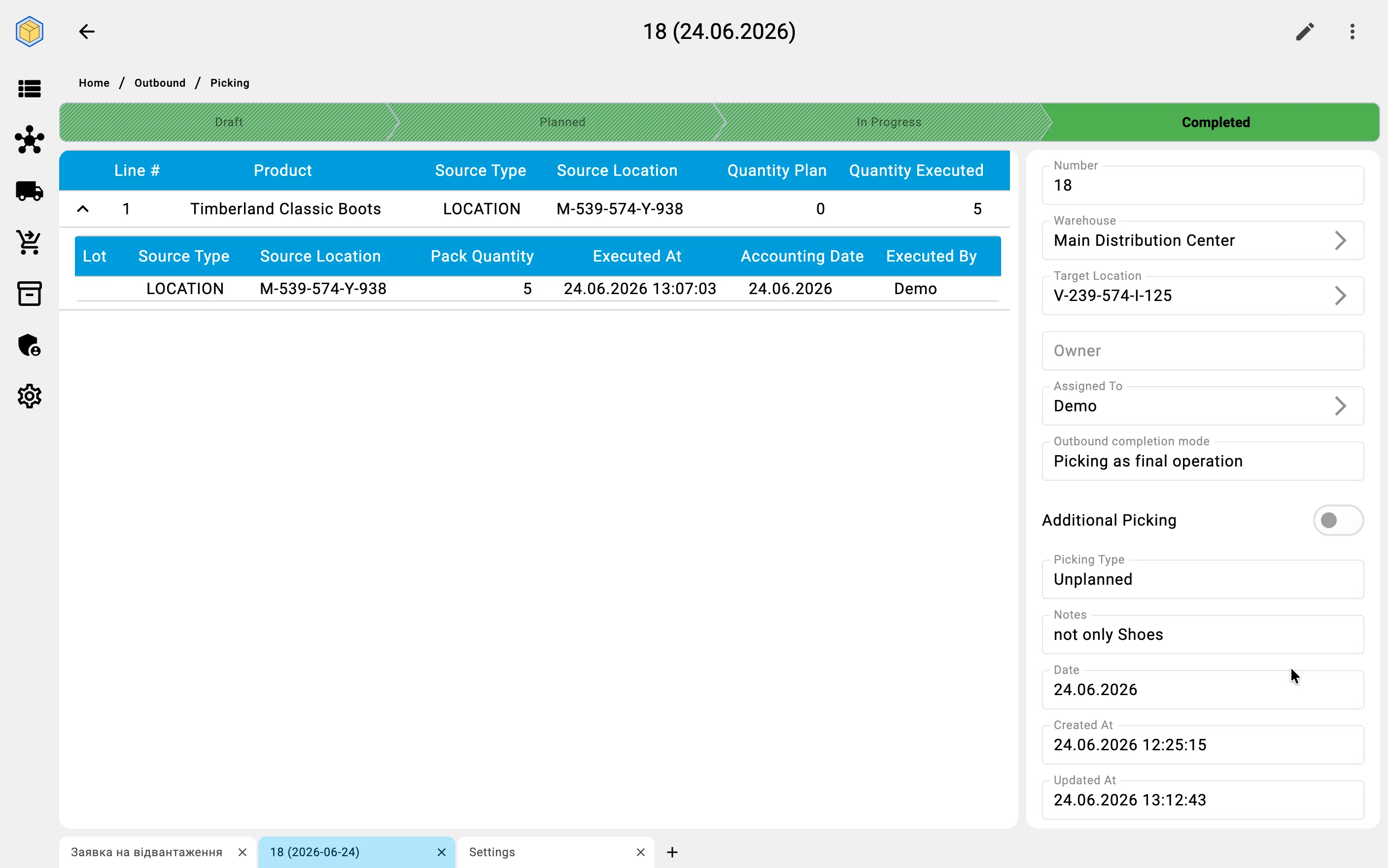
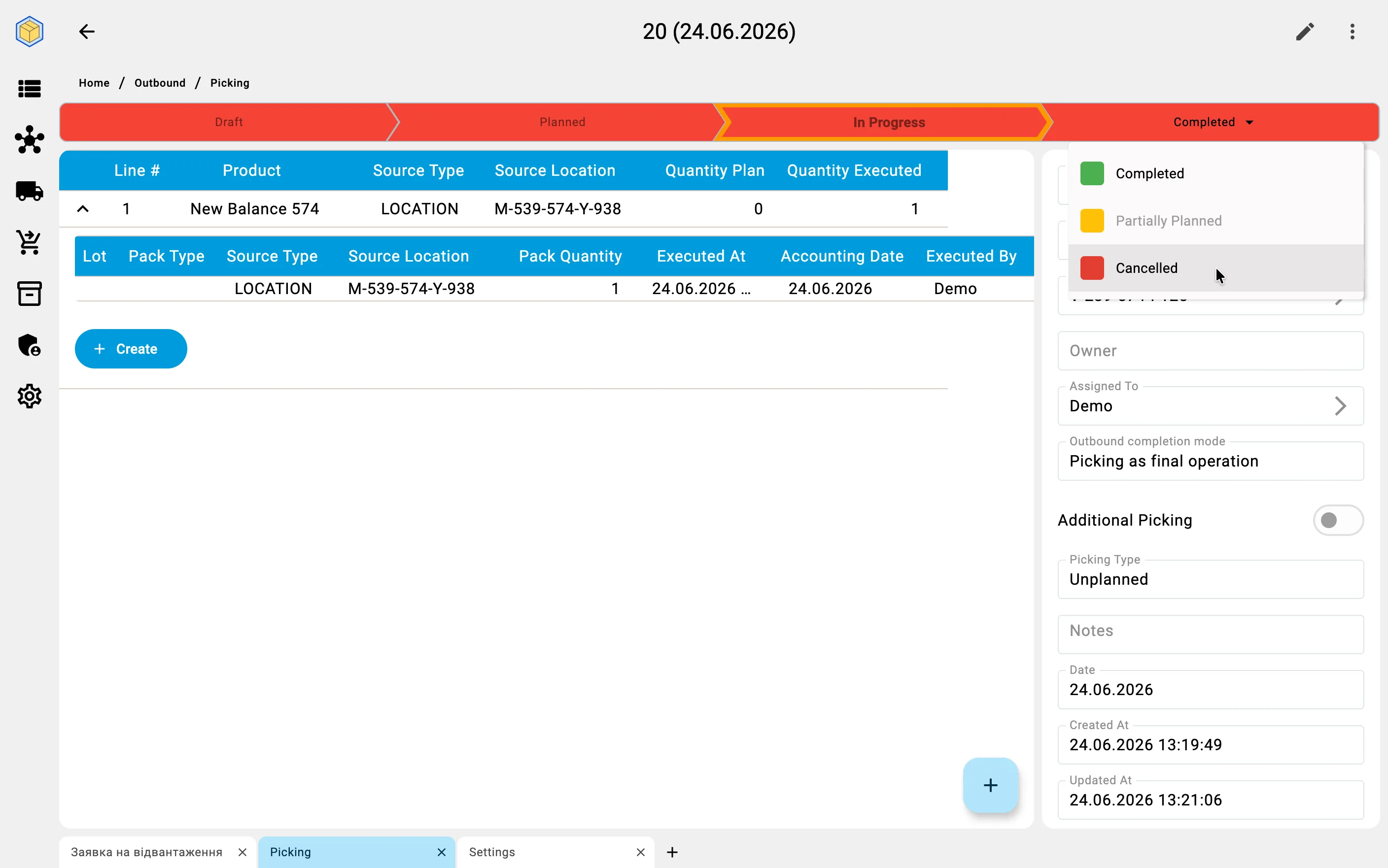
When everything has been picked, the document is closed by setting its final status. Completing can be done from the client app or on the handheld terminal; cancelling, and any other status change, are done in the client app.
There are two ways to finish:
- Completed — the goods are issued out of the warehouse: they leave the target external location for good, and the issue is recorded as an outbound movement. Even a document closed with less than first intended finishes here — whatever was not picked is simply not part of the result.
- Cancelled — the document is dropped. Anything already picked stays in the target external location as ordinary stock on hand — it is no longer held for this document, and nothing is issued from the warehouse. Use this when goods were moved but should not be treated as shipped.
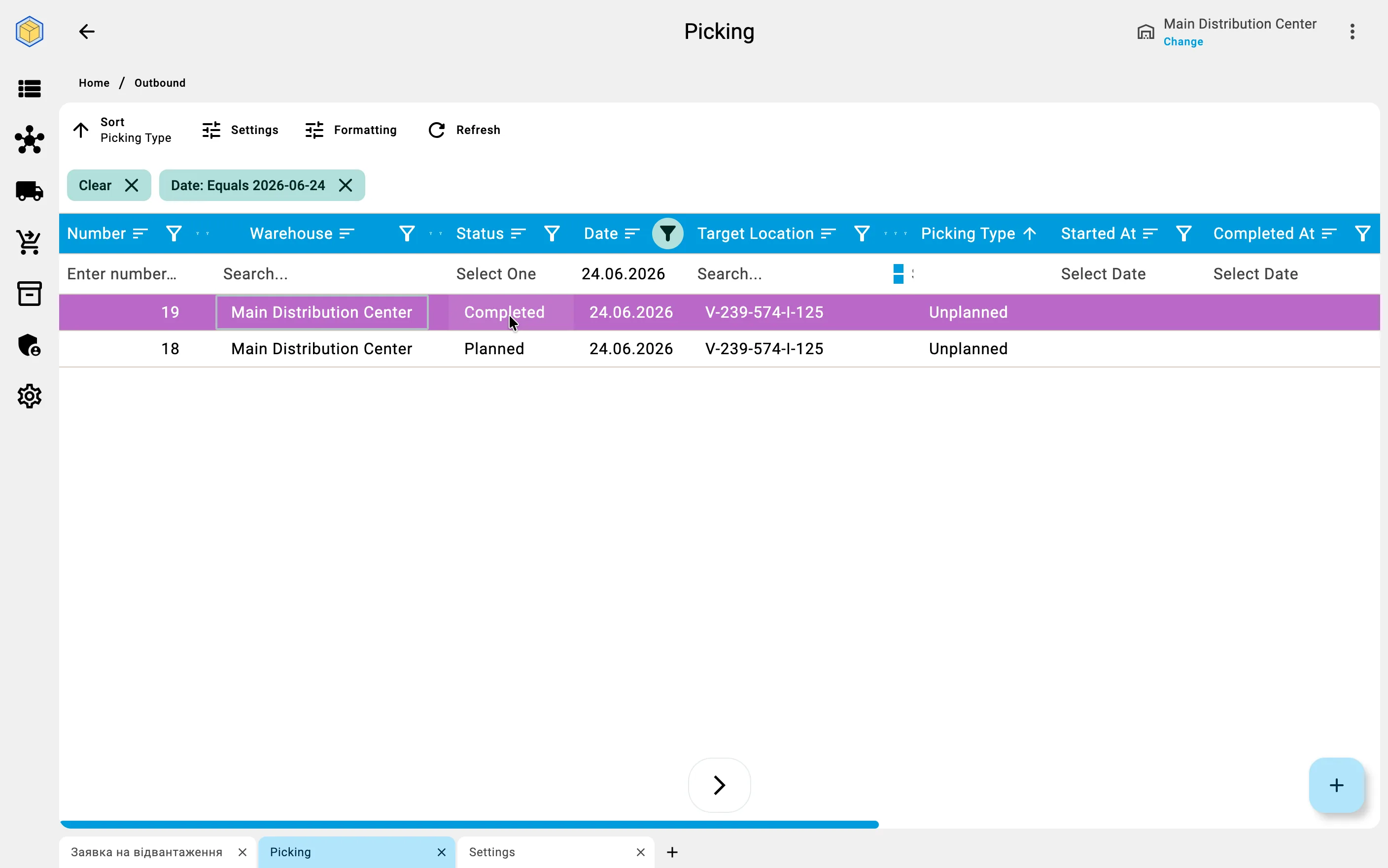
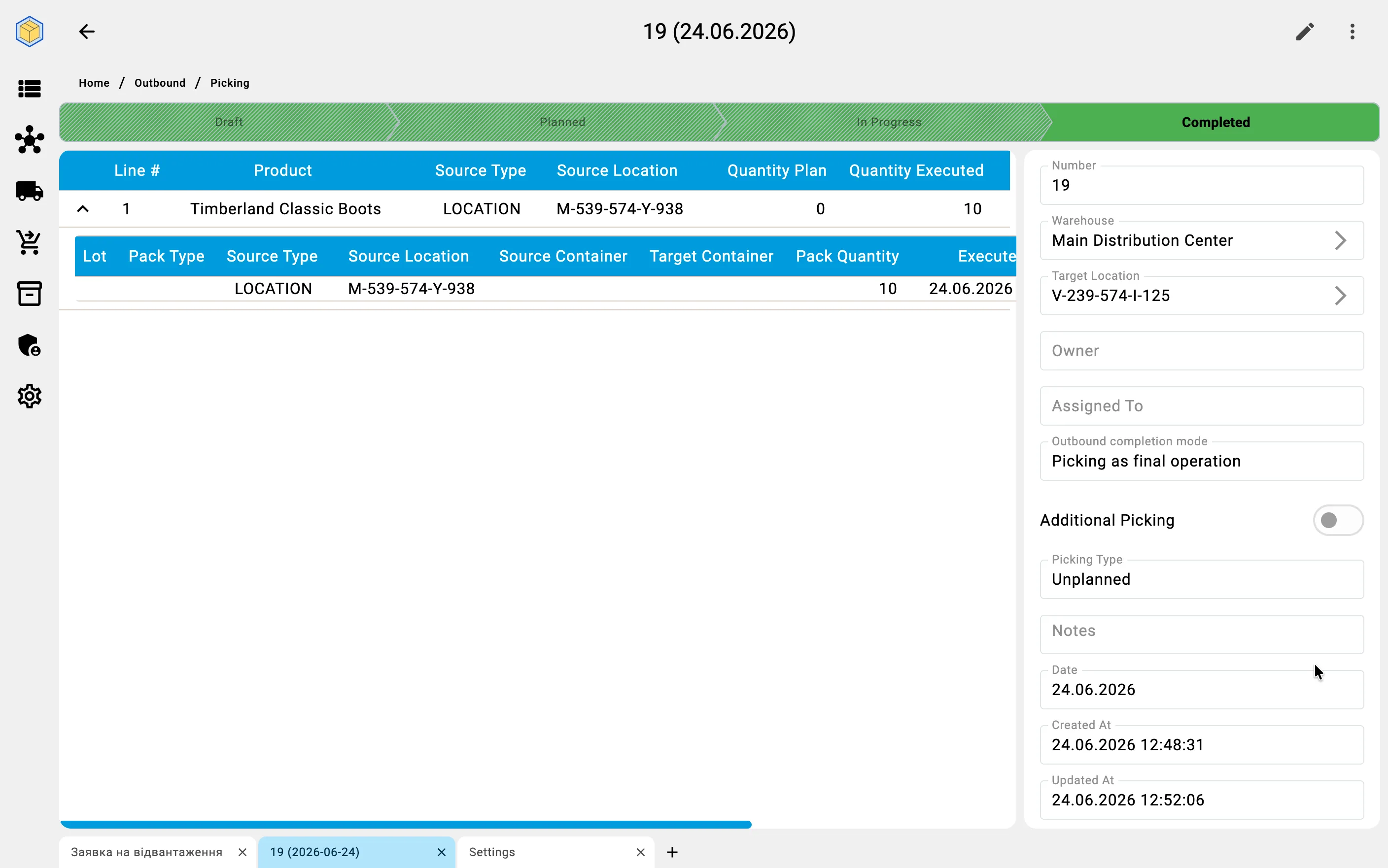
Either way the hold on the goods is released. The difference is what happens to them next: completing the document issues them out of the warehouse; cancelling it leaves them sitting in the external location.
Business value
Issue goods with no paperwork up front. When something must leave the warehouse outside the normal order flow — a sample, an urgent hand-off, a correction — the operator records the issue directly, with no order or wave to set up first.
One document, fully on the client. Create, pick, and close from the workstation, or hand the picking to a handheld — whichever fits the moment.
Honest stock at every step. Picked goods sit in the external location until the document is completed, so what has been moved and what has been issued are always distinct.