Recording move facts
The operator opens the document and switches to the Execution tab. The + action opens the fact dialog.
Fact entry cycle
For each fact:
- Pick a plan row — the dialog lists the rows of the plan; the operator selects the one being executed.
- Fill the actual source and target — by default the dialog pre-fills source and target from the plan, but the operator can record different ones (the system always trusts the actual move, not the planned one).
- Enter the quantity — full or partial; multiple facts per plan row are allowed (for splitting the moved quantity across two cells, for example).
- Save — the fact is committed.
The row dimensions (source kind, target kind, optional repack) work the same way for facts as for plan rows:
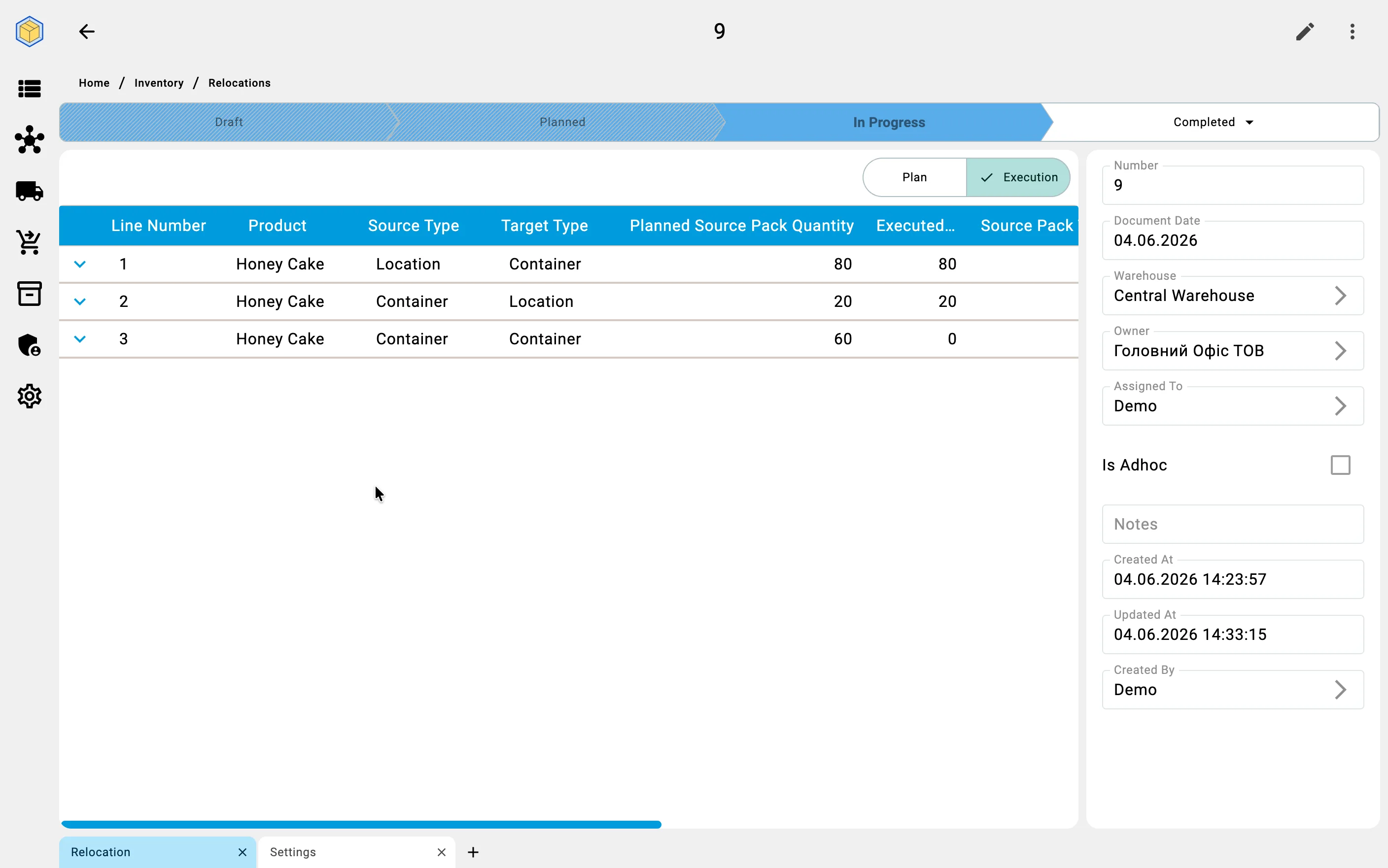
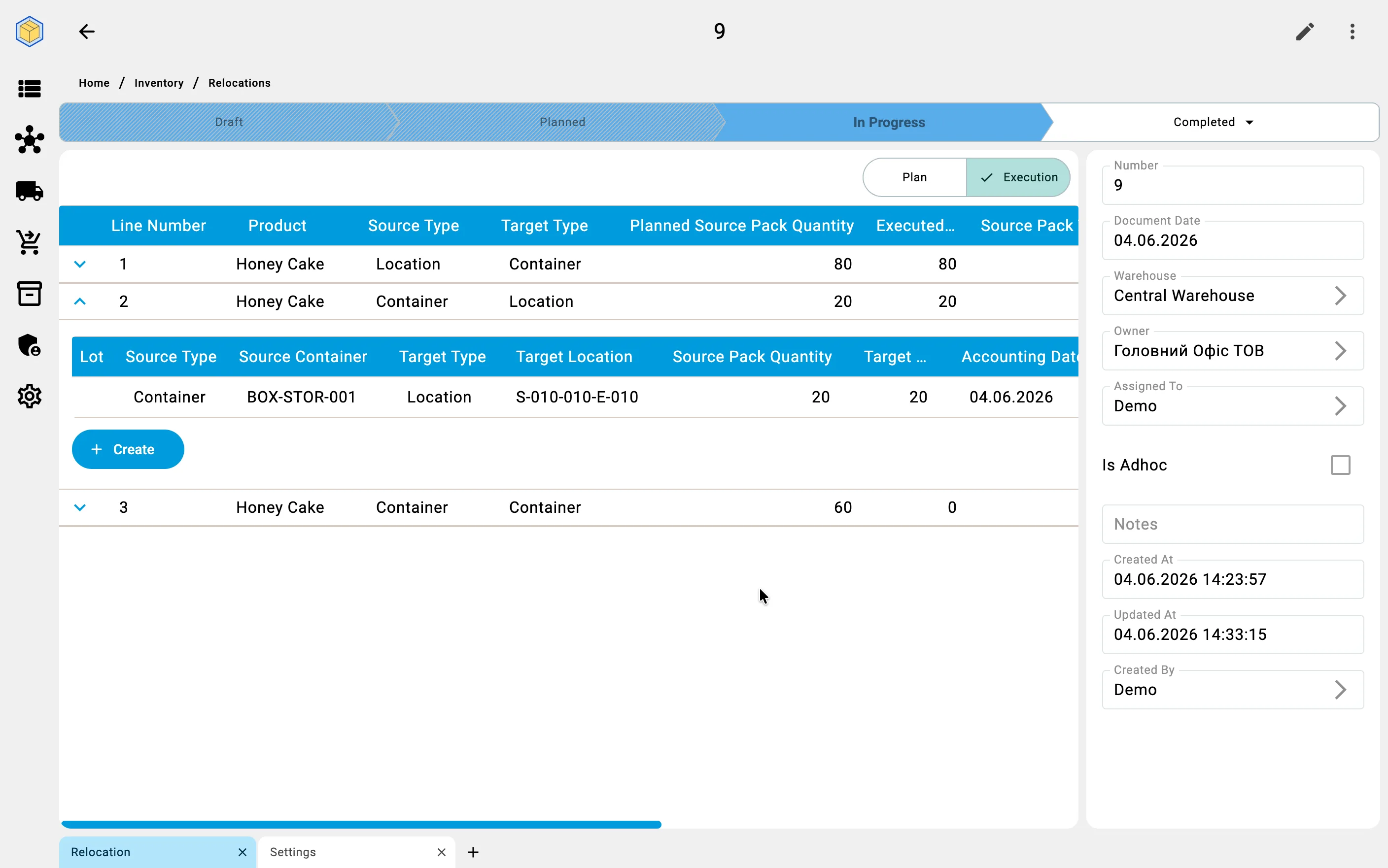
Each relocation row describes what, from where, and where to you move.
The source and target of a row are each one of two kinds — a cell or a container — giving four combinations:
Cell → Cell — the most common case: moving goods between storage areas (for example, consolidating partial pallets from a pick face into a reserve aisle).
Cell → Container — packing goods from a cell into a container (for example, to stage a shipment or to move loose goods on a carrier).
Container → Cell — unpacking a container into storage cells (for example, breaking down a received pallet onto the rack).
Container → Container — moving the contents from one container to another (for example, consolidating two half-full bins).
Pack-type change (repack)
A row may also change the pack type of the goods: the source pack type and the target pack type differ, while the quantity in the base unit of measure stays exactly the same.
Example: a product is stored as cases of 12 units. You want to put it on pallets of 144 units. In a single row you set the source pack as "case" (source quantity = 12 cases), the target pack as "pallet" (target quantity = 1 pallet), and the base quantity stays 144 units.
Repack is available in both planned and ad-hoc scenarios — it is a property of an individual row, not of the document.
Stock-balance check
When saving a fact, the system checks the current quantity at the source. If there is not enough — a localized error appears (the partial fact is not persisted; the operator must reduce the quantity or fix the source).
Status auto-transition
The first fact saved against a document moves it from Planned to In progress automatically. Subsequent facts keep the document in In progress until the operator closes it.
Toolbar actions
The ⋮ menu on the detail screen exposes secondary actions: History (audit log), Print (print forms), and Movements (related stock-ledger transactions for this document). See the general client-app screen documentation for details — these actions are not specific to relocation.
On PDTOn the PDT, facts are recorded line-by-line from the items table via the source/target zone form.