Barcode resolution
This phase fires during fact recording when the result of a barcode scan does not let the system continue unambiguously. Depending on what happened, the operator sees one of three dialogs. Once the resolution is done, the operator returns to the regular quantity-entry loop.
Unknown barcode (registering a supplier barcode)
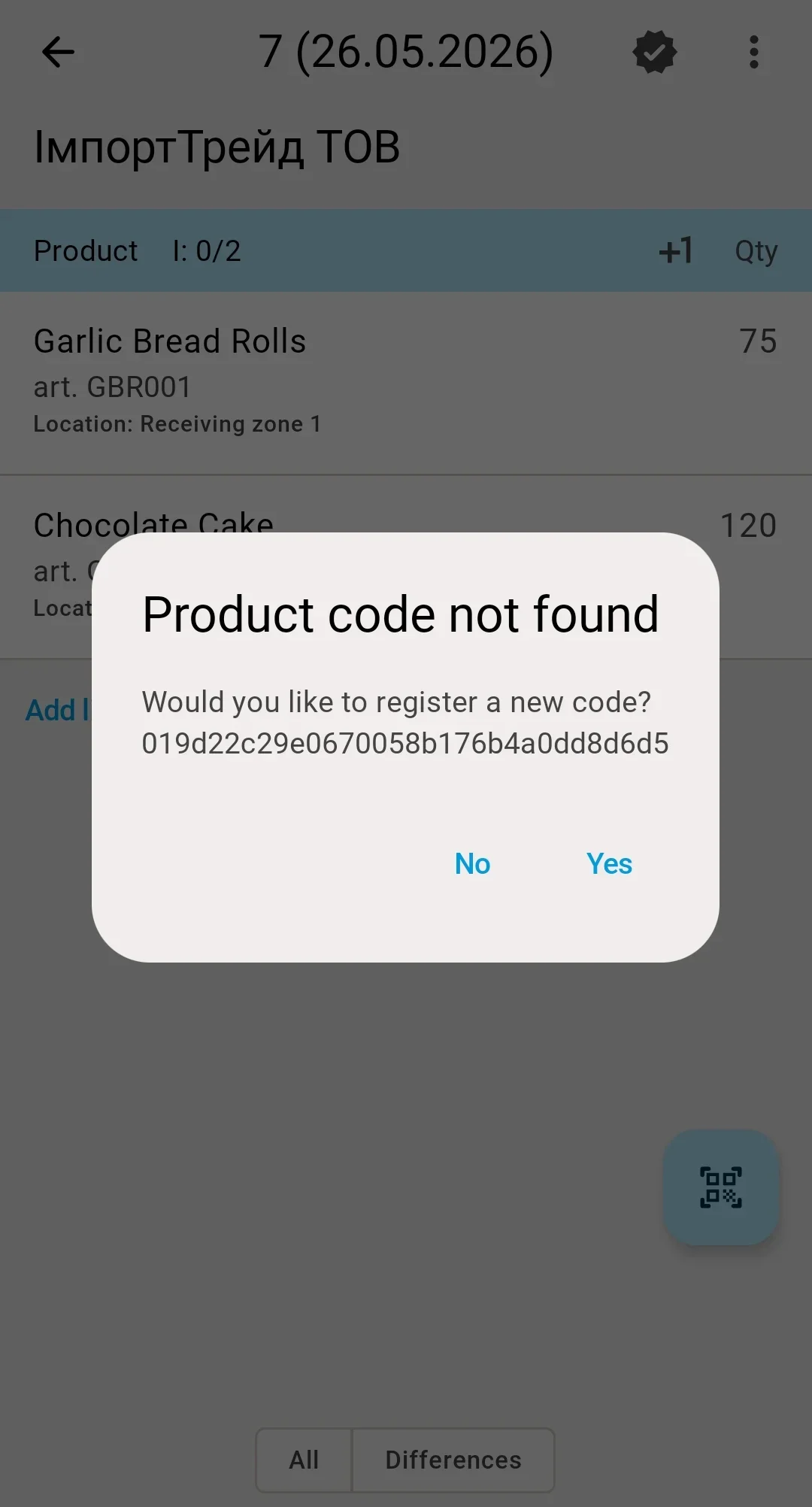
Fires when the scanned barcode is not in the database and the receipt still has at least one line that is not fully received. When every line of the receipt is already received, barcode registration does not start: the operator gets a message about an unknown barcode and returns to scanning.
A Product code not found dialog appears with the question "Would you like to register a new code?" and Yes / No buttons.
- No — the dialog closes, the operator returns to scanning.
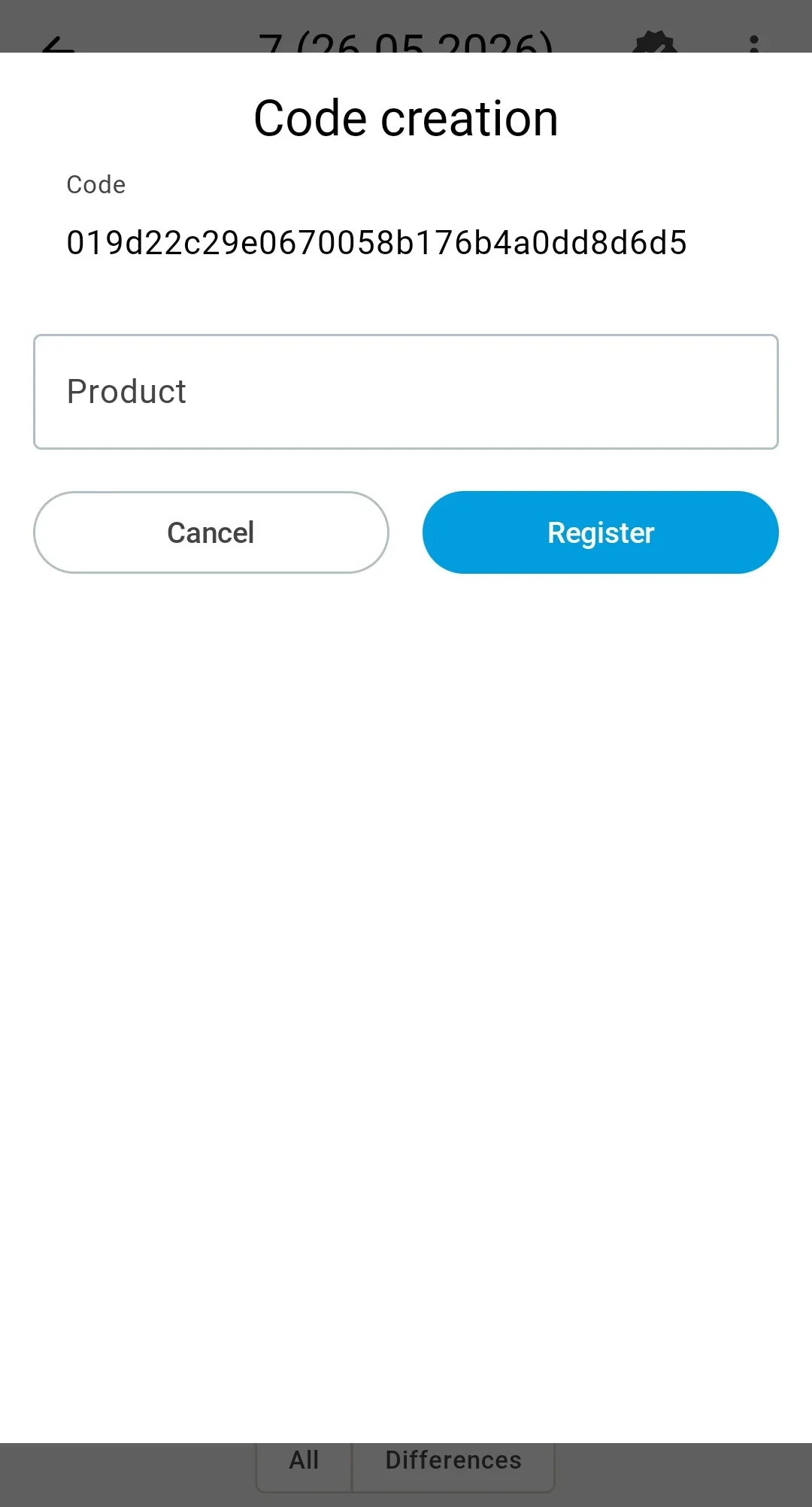
- Yes — the Code creation form opens:
- Barcode — filled in from the scan, non-editable.
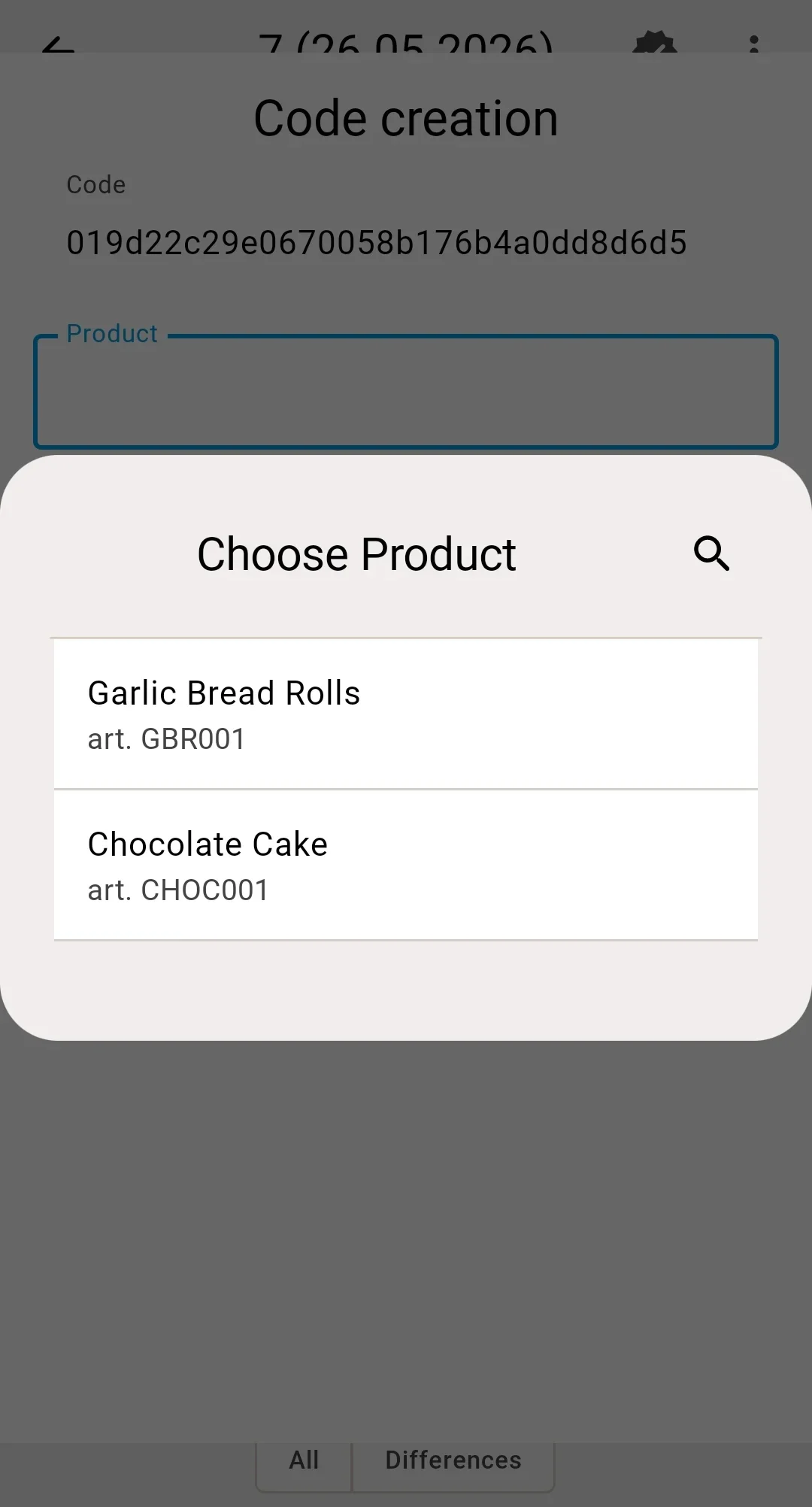
- Product — a list of options from the current receipt that still have stock to receive (more planned than received). The operator picks the right row; the list can be narrowed with text search. When the same product article appears on the receipt as several variations (different features, lots, or pack types), each variation is a separate row with its own attributes.
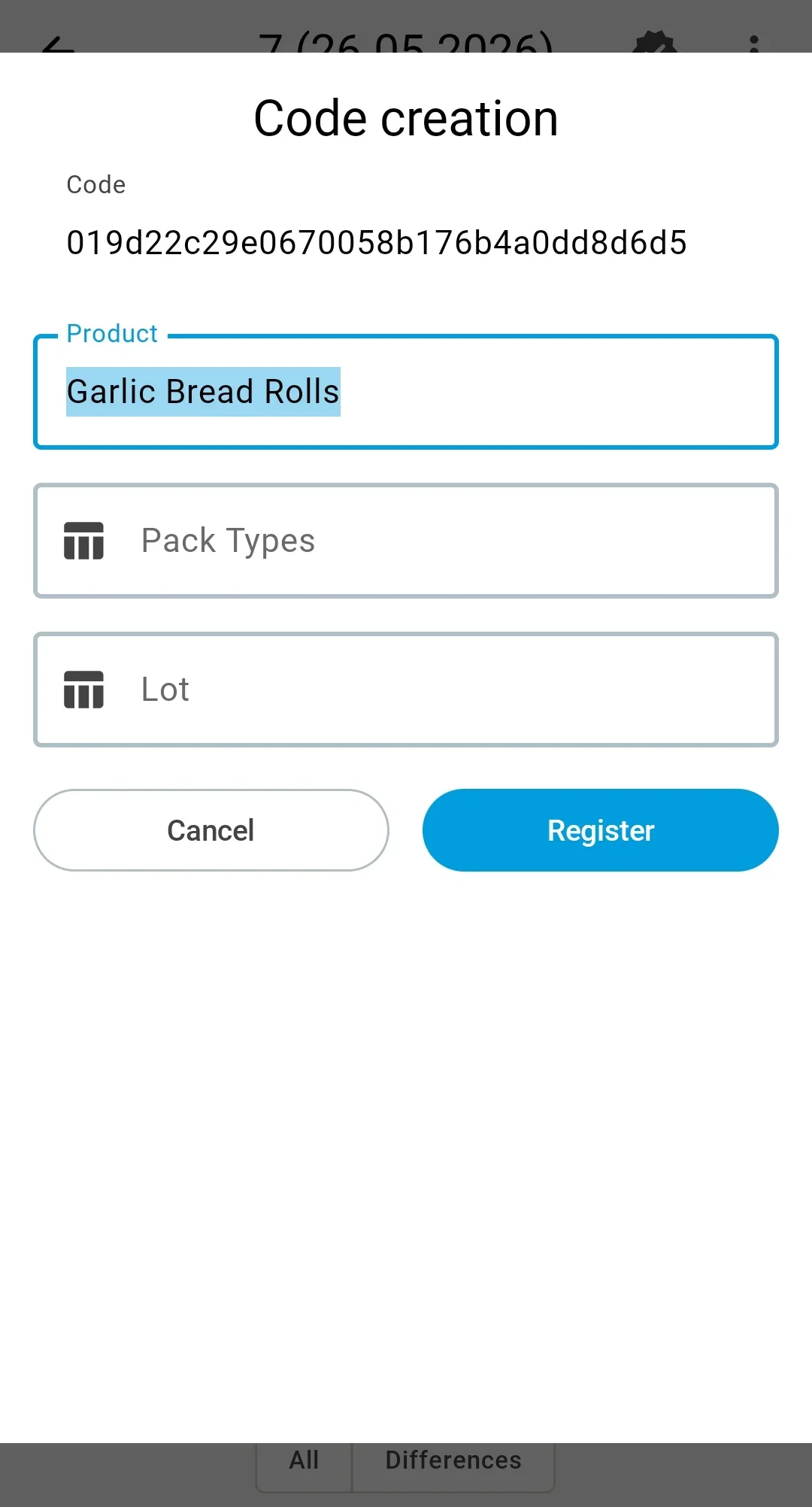
- Product Feature, Pack Type, Lot — populated automatically from the picked receipt row; the operator does not need to fill them in by hand.
- Register / Cancel buttons.
That is — registration always ties the barcode to the receipt line currently being received, not to an arbitrary product from the catalogue. The same barcode cannot be registered against an off-receipt product — even when the document allows over-receiving, the Code creation form will not offer that option.
After a successful save the message Barcode [code] has been created appears, and the operator moves on to entering quantity for the picked line. From this point the barcode is known to the system — subsequent scans of the same code are recognised automatically.
When the picked barcode is already registered for another catalogue entry (product + feature + lot + pack type), the form reports an error. The creation does not happen; cancel the action and notify the person responsible for the catalogue.
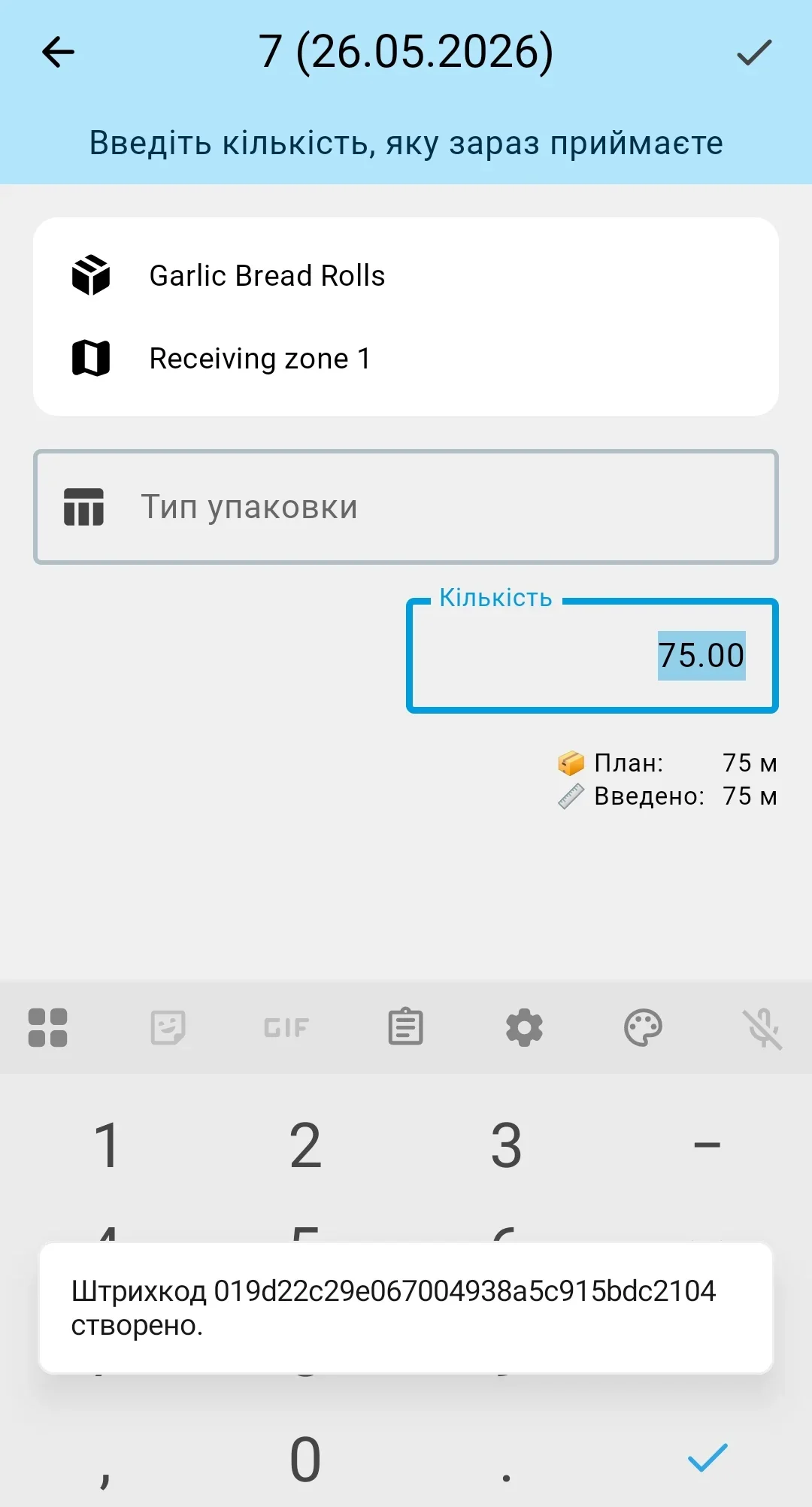
Ambiguous barcode
Fires when one barcode matches several variations (for example, the same product with different features, lots, or pack types). A Choose Product dialog appears with a list of candidates — each shows product, feature, lot, article, and pack type. The operator picks the correct one and the screen moves on to entering quantity for it. Cancelling the dialog returns to scanning.
Scanned product not on the receipt
Fires when the barcode is known to the system but the product is not in the receipt.
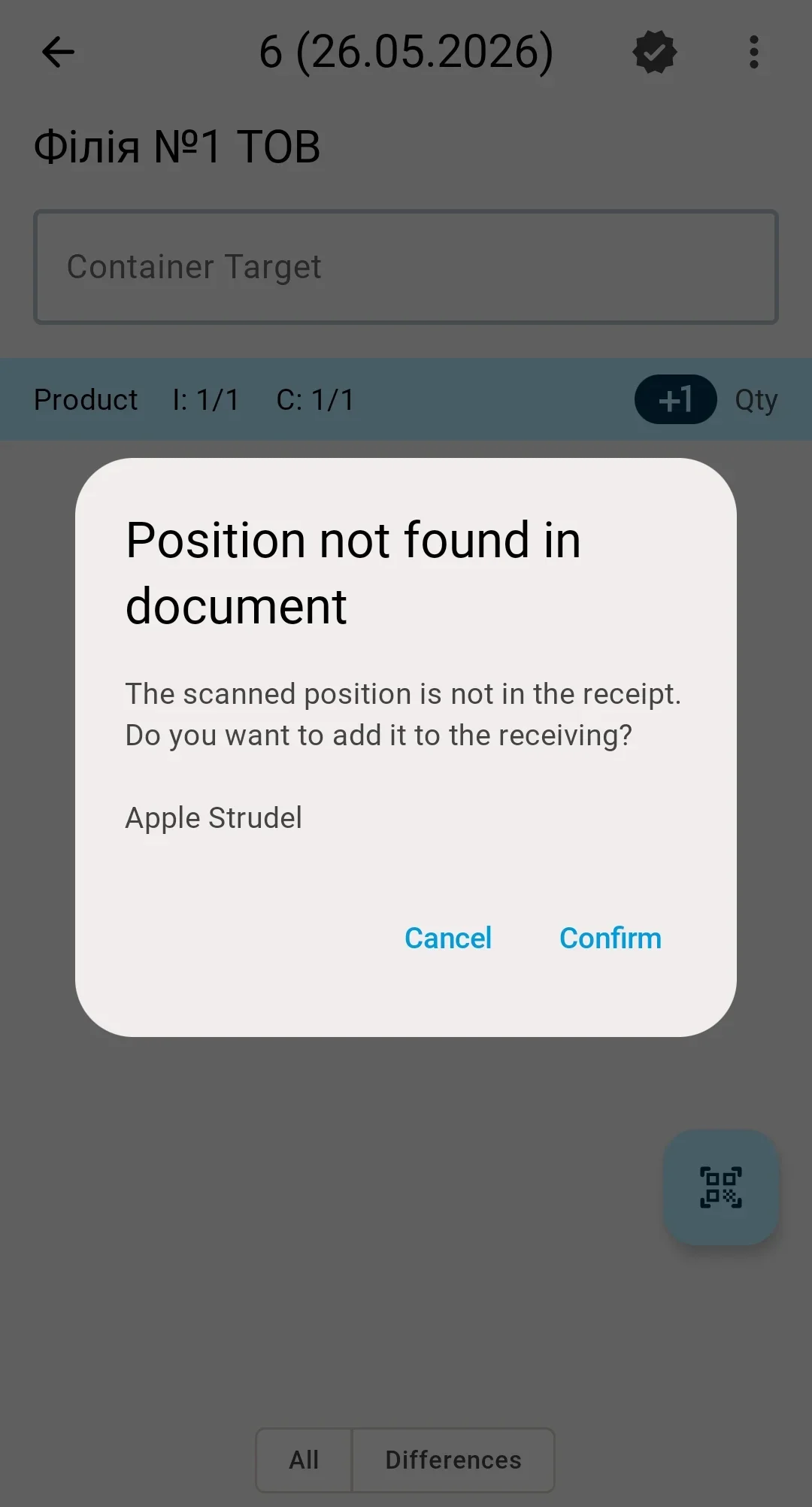
When the receipt allows over-receiving — a Position not found in document dialog appears with the scanned product description and Confirm / Cancel buttons. Confirming adds the line to the receipt and moves the operator to entering quantity. Cancelling returns to scanning.
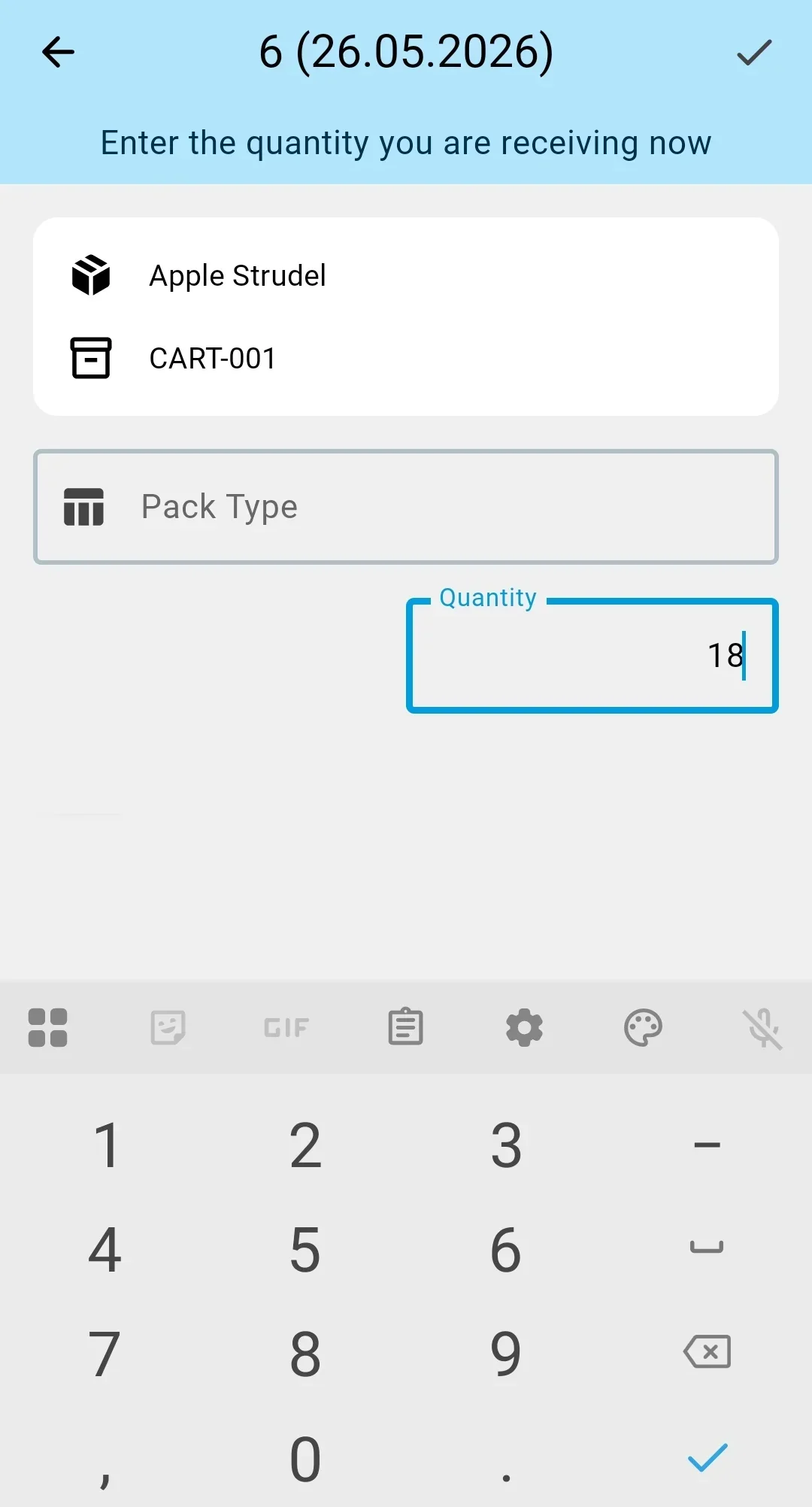
When it does not — the system shows an error message ("Product [name] is not found" or "Product [name] is already fully received" when the line is already closed) and returns to scanning. Adding an off-receipt product is not possible — the operator has to escalate to the person responsible for the document.